
How to Invite Students to Ellii (with a class code)
Please follow the steps below to learn how to add students to your account with a class code.
Step-by-Step Instructions
Log in to your account here:
Step 1
Click Everything at the top and click Classroom.


Step 2
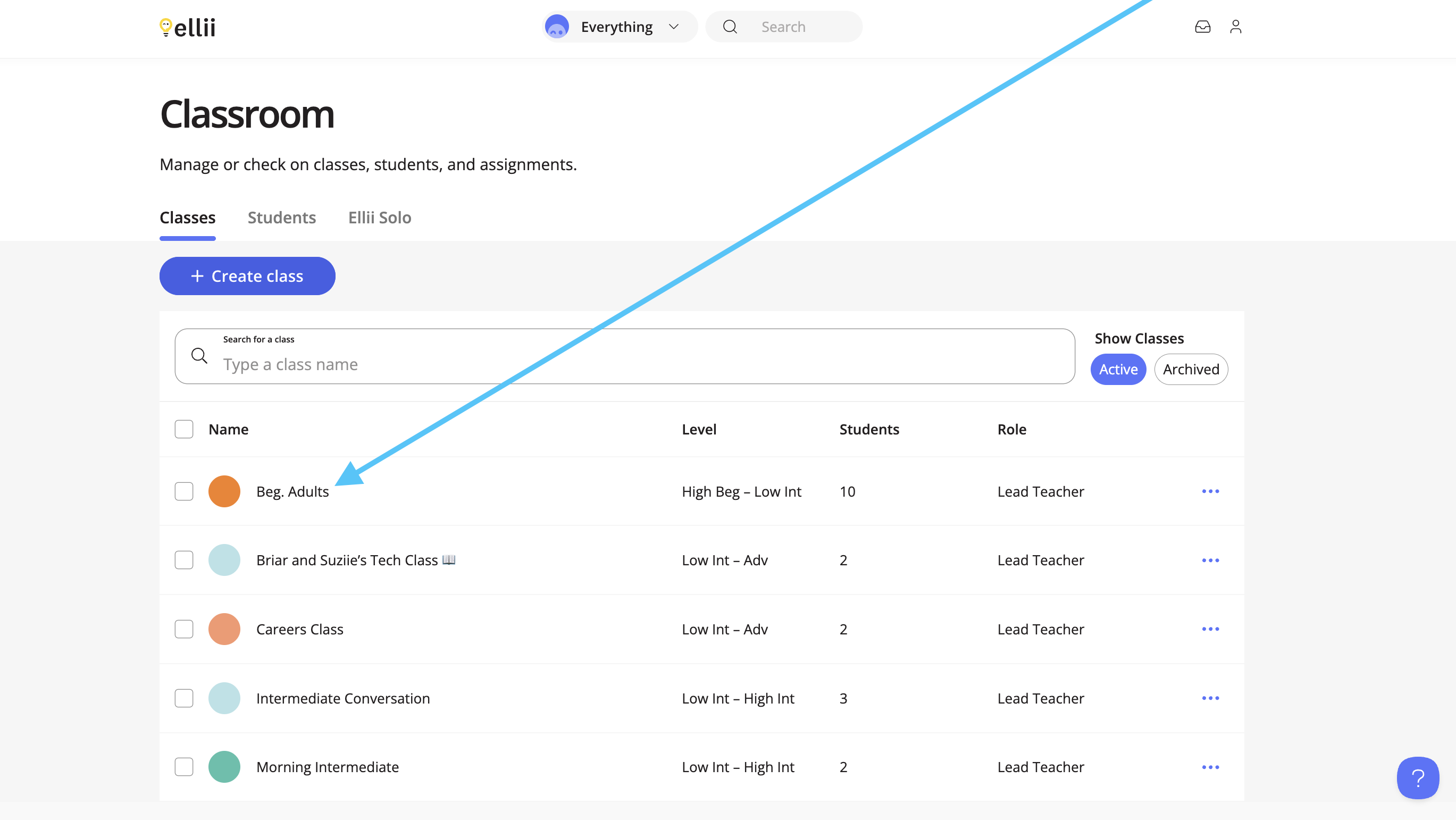
Click the class you would like to invite students to.
Step 3
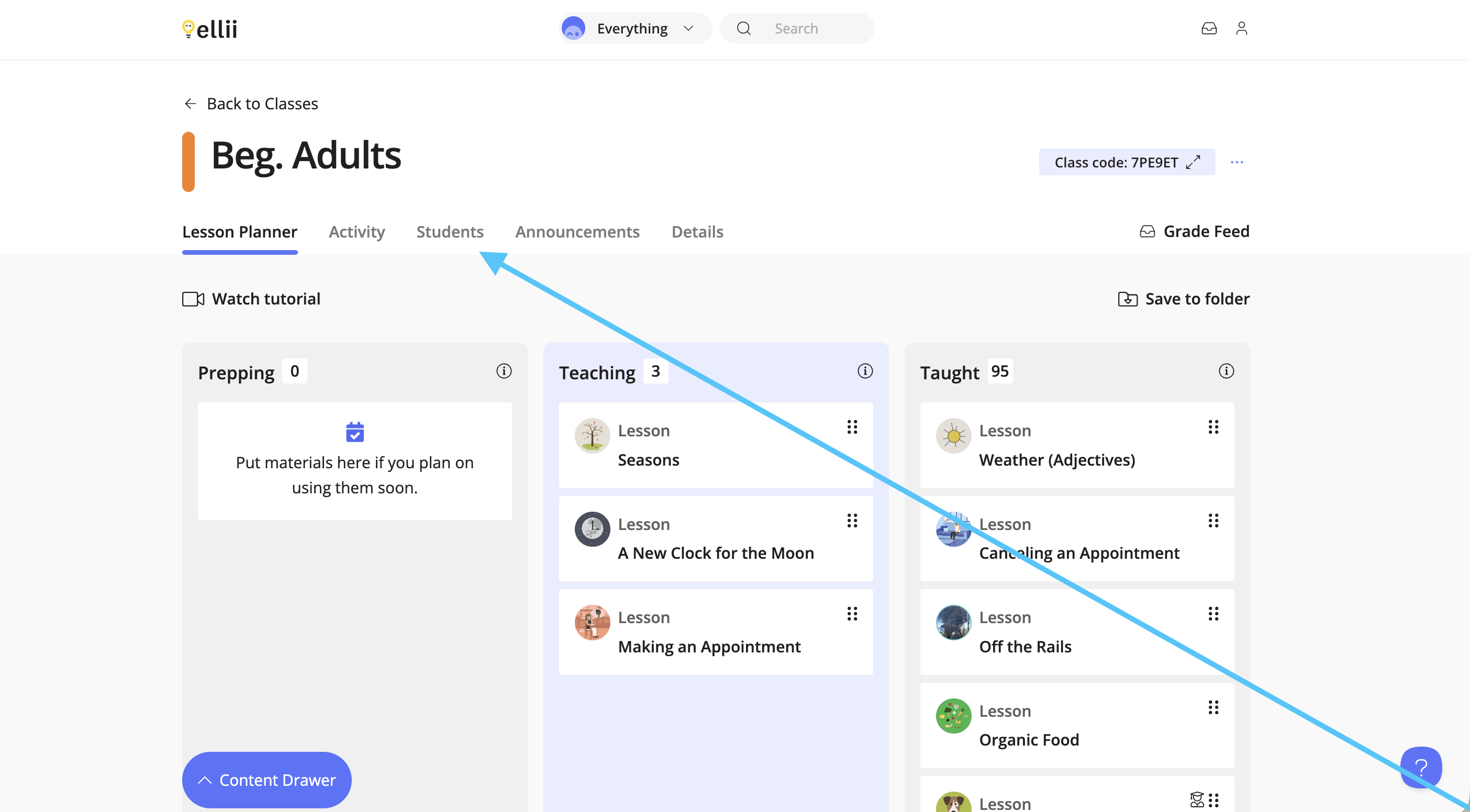
Once inside a class, click on the Students tab.
Step 4
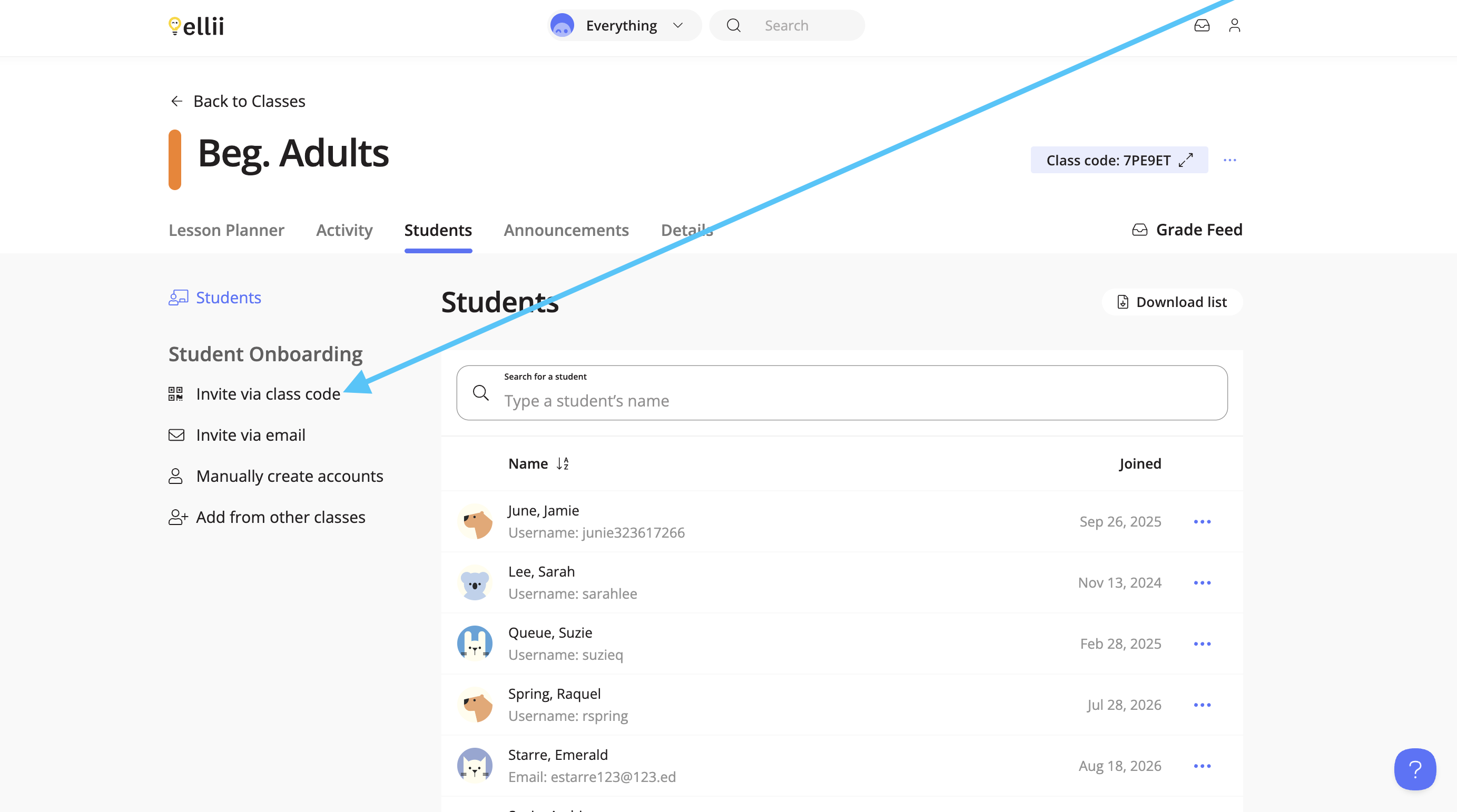
Click on Invite via class code.
Step 5
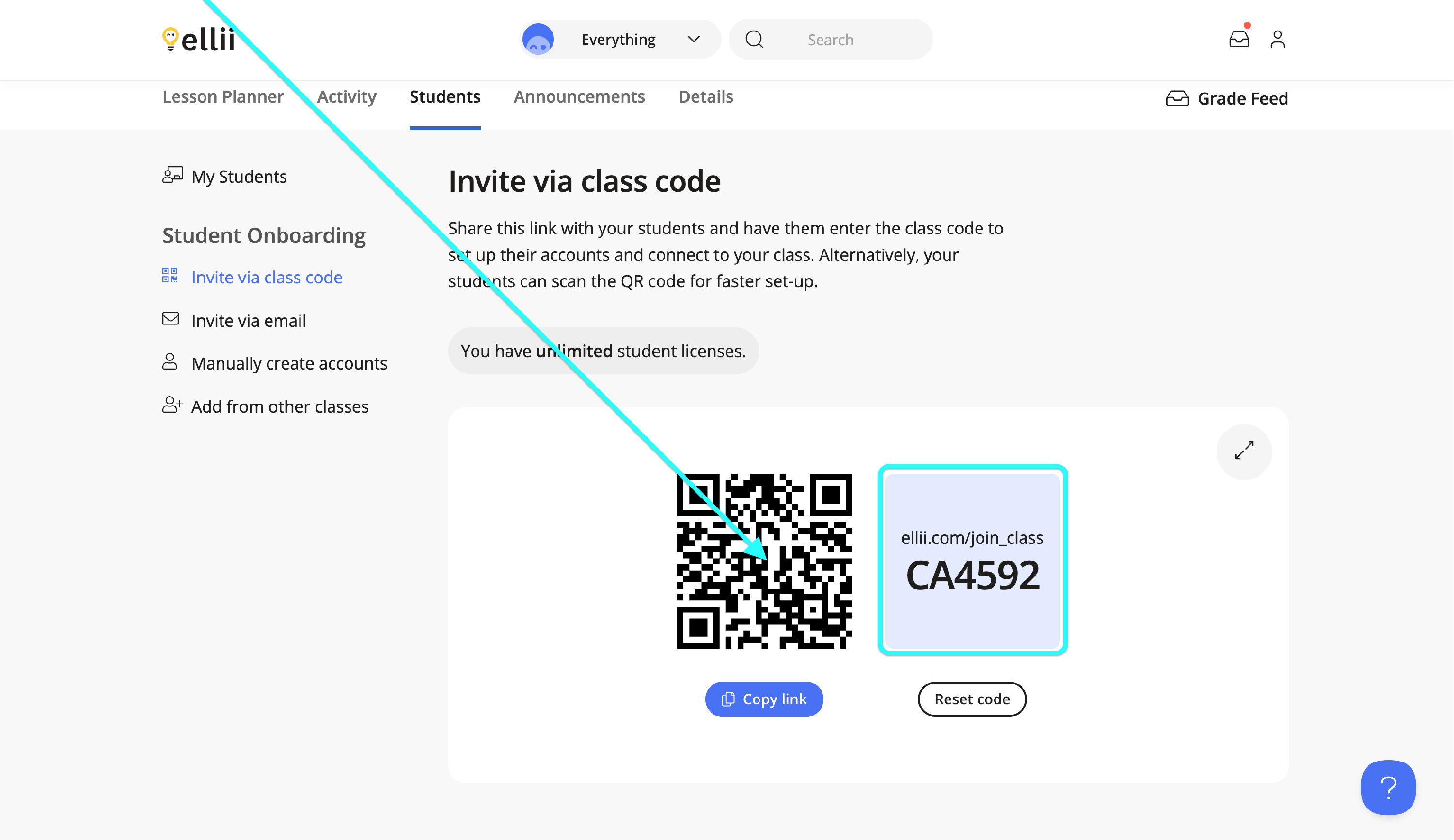
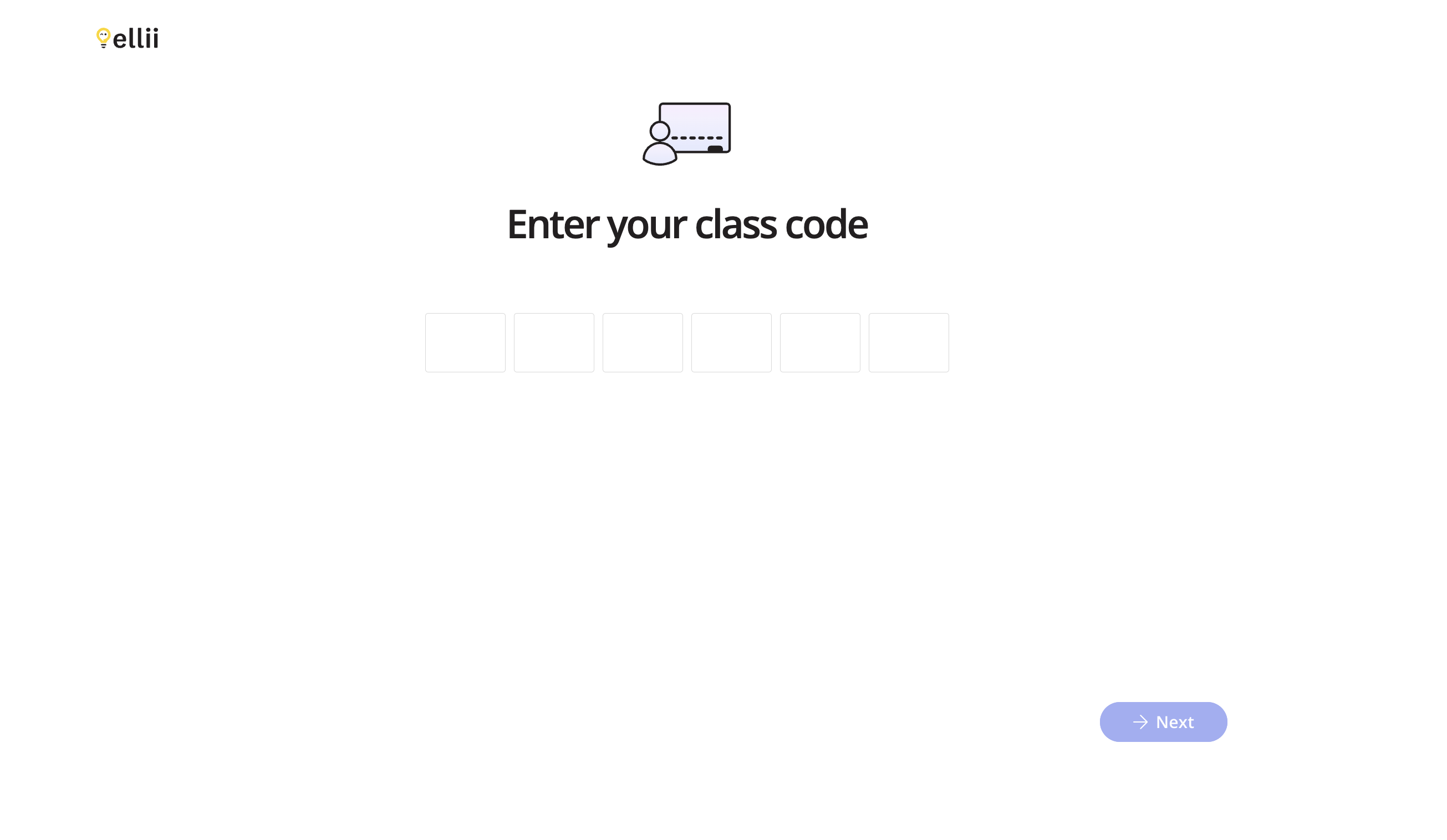
Share the class code with your students and direct them to ellii.com/join_class . Alternatively, your students can scan the QR code from their mobile devices to be taken to the same link. The QR code contains the class code as well.
On the student’s end, they will enter the class code and proceed with creating their account. Click here to view the student help doc.
Step 6
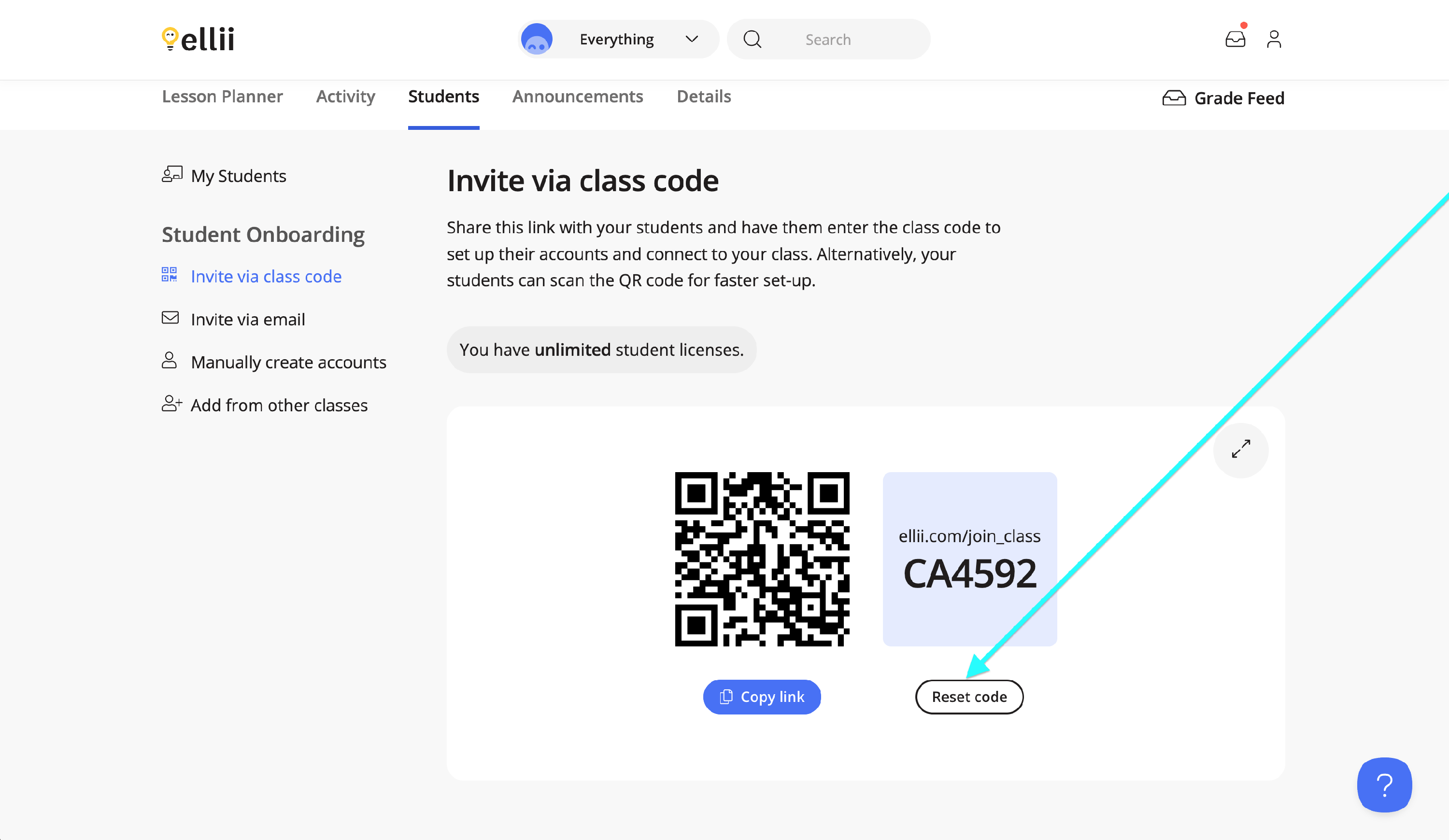
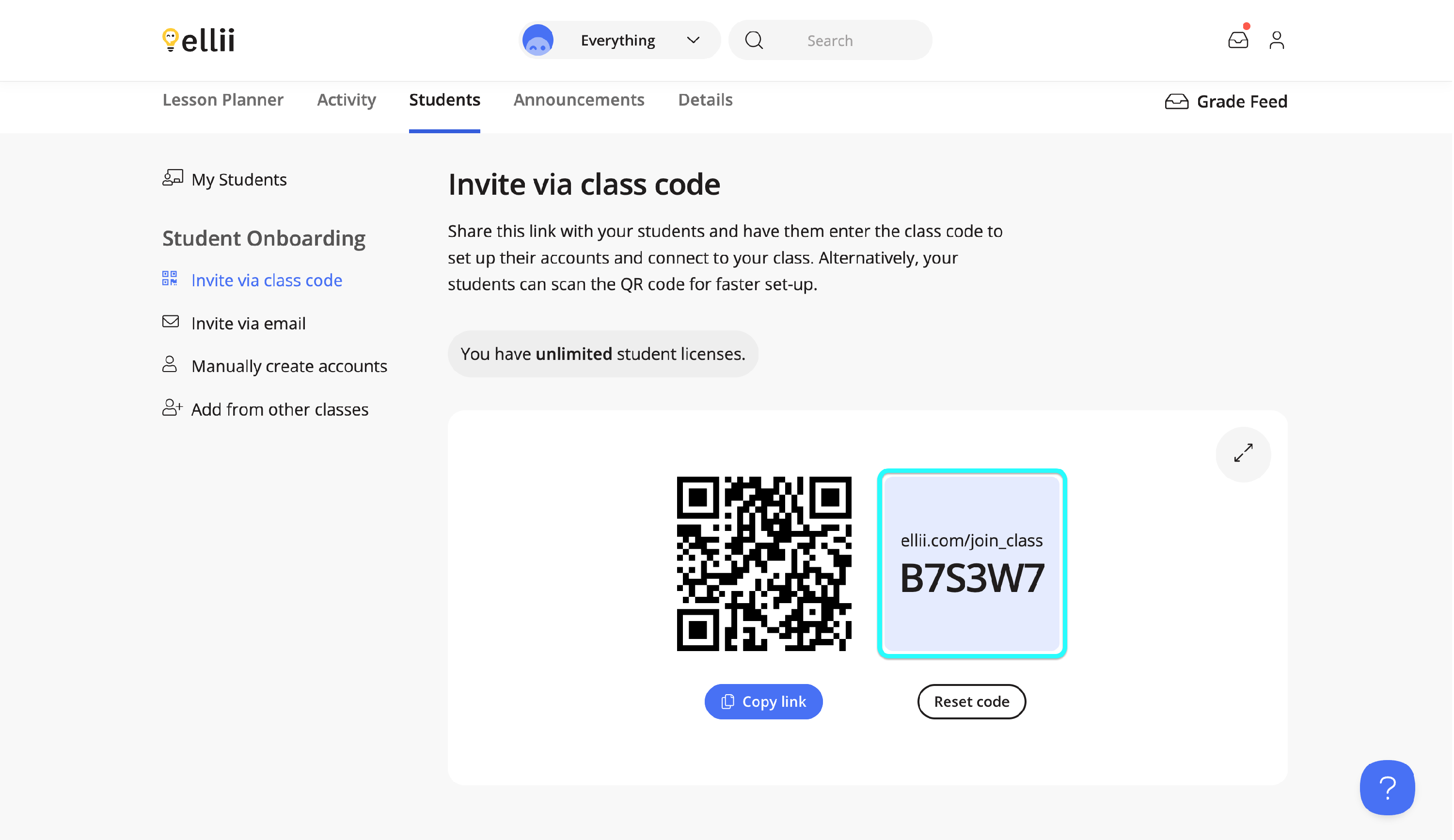
If you need to change the class code for your class, click on Reset code.
If you have any difficulties inviting students to your class with a class code, please contact us and we will be happy to assist!