
Managing Student Activity: Inactivity Timeout, Proxy Hours & Ellii Solo Session Reports
Inactivity Timeout
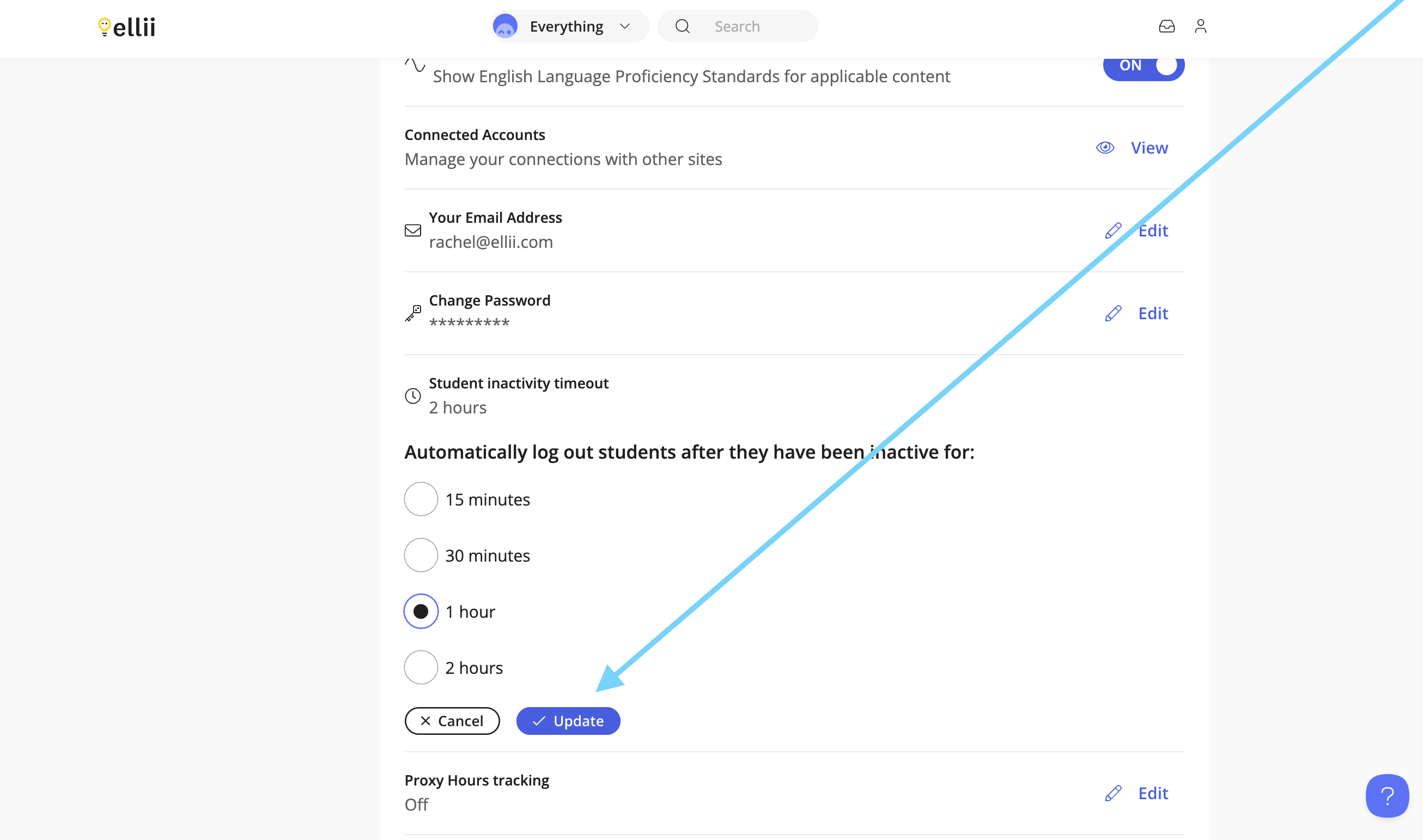
Admins of an organization account have the ability to change automatic student logout based on inactivity with options for 15 minutes, 30 minutes, 1 hour and 2 hours (default).
Note: If an organization account administrator enables this feature, it will apply to all connected teachers.
Step 1
Click on the profile icon in the top right corner and click Account.


Step 2
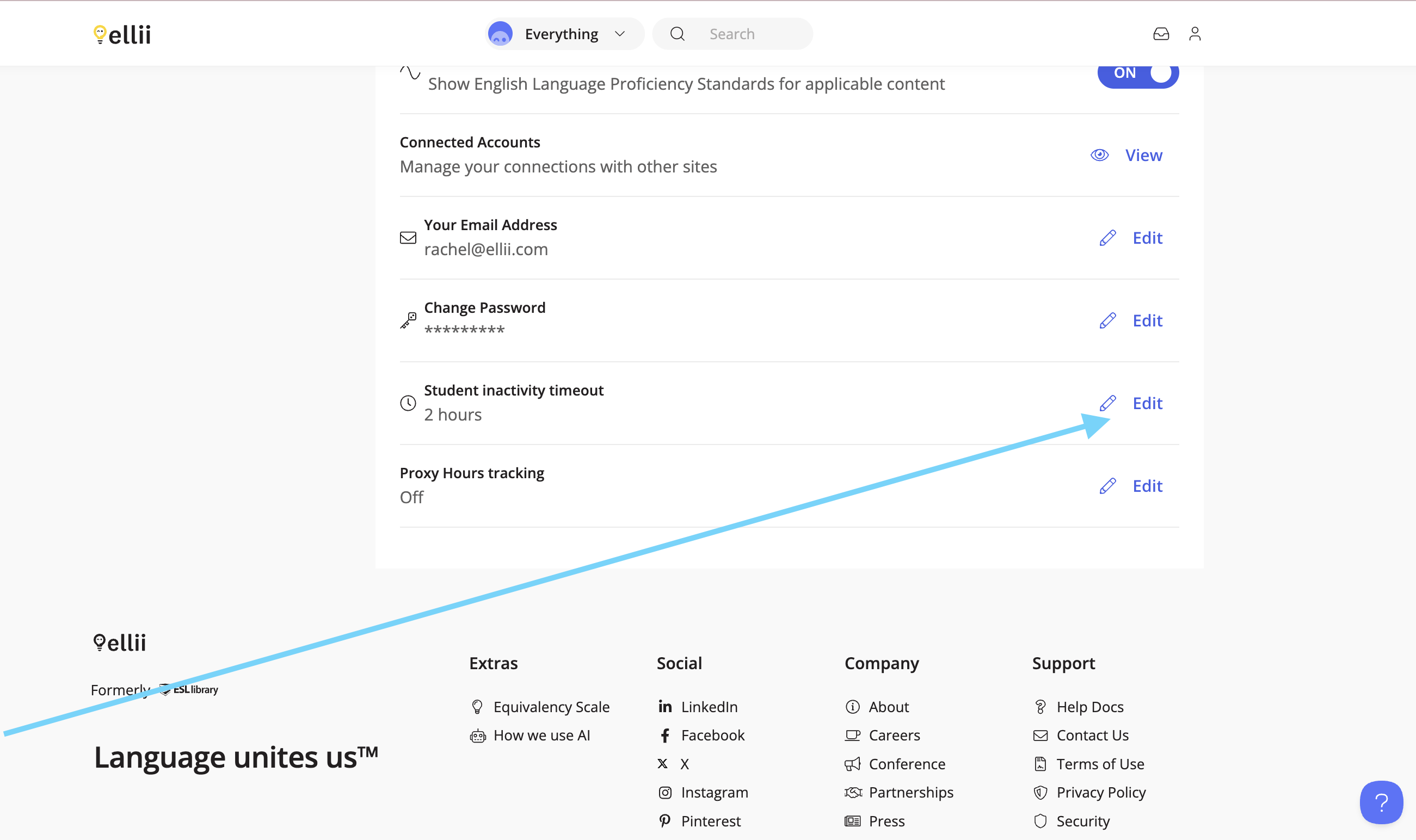
Scroll down and click Edit next to Student inactivity timeout. Select your choice and click Update.
Proxy Hours
Admins can also turn on proxy hours tracking. Proxy hours track whether students complete their work in-class or out of class. Admins can allow students to select whether they are completing their tasks in-class or out-of class on the site, or let the teachers be responsible for this choice.
If the choice belongs to the teachers, they can start sessions to track their students’ times.
Note: If an organization account administrator enables this feature, it will apply to all connected teachers.
Step 1
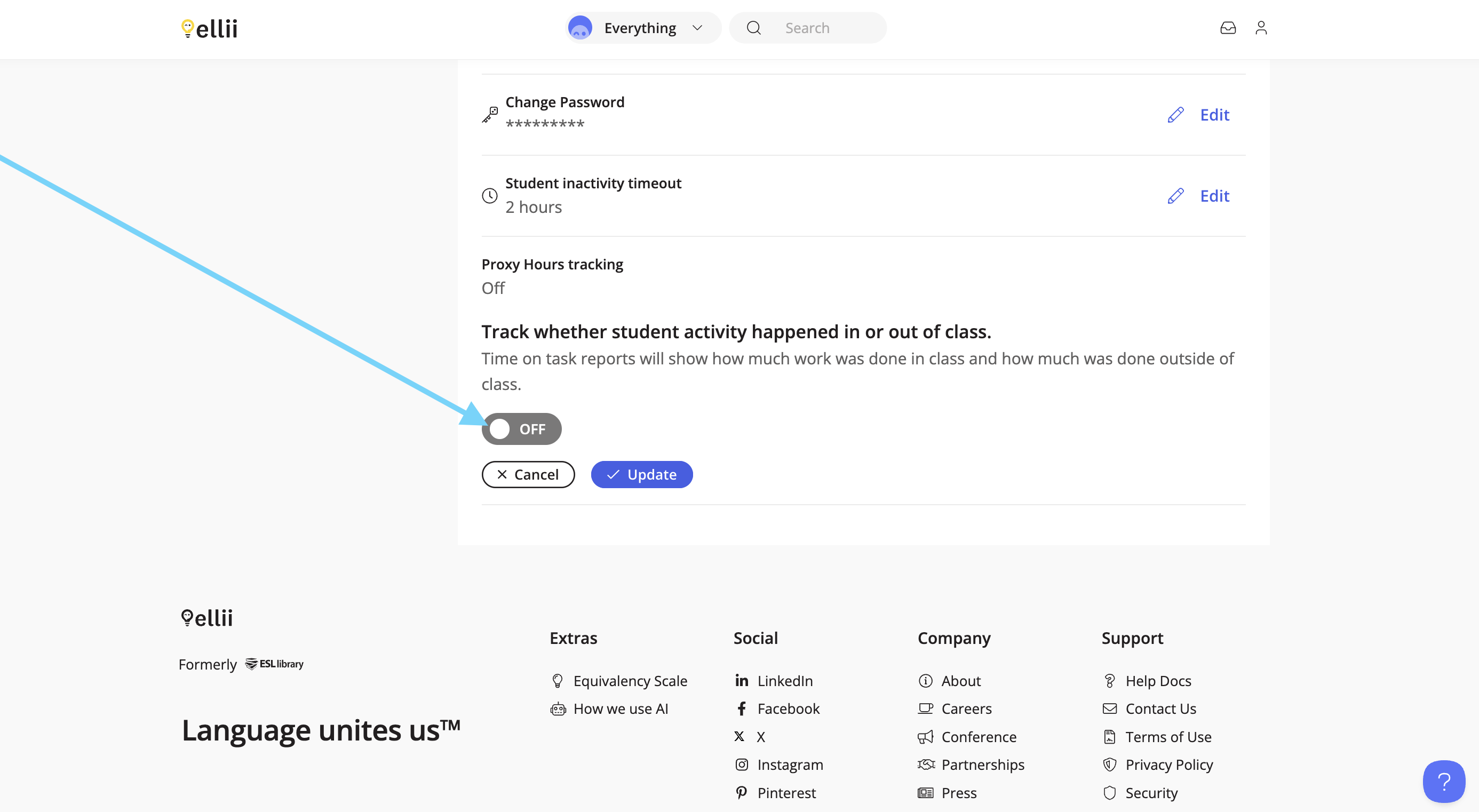
To turn this on, go to your Account page. Click on Edit next to Proxy Hours tracking and then switch the toggle to turn this feature on.

Step 2
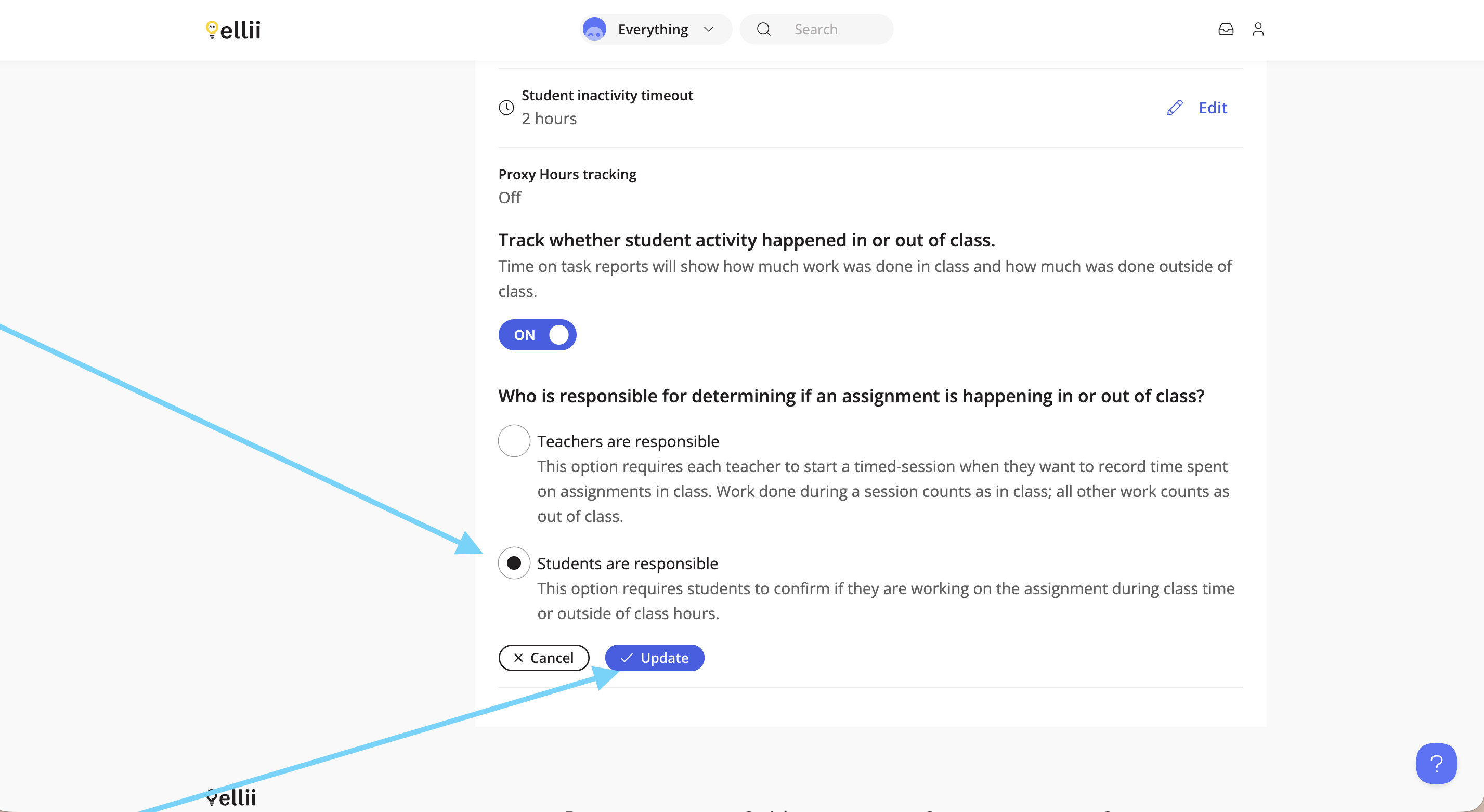
Choose who you would like to be responsible for making this distinction, then click Update.
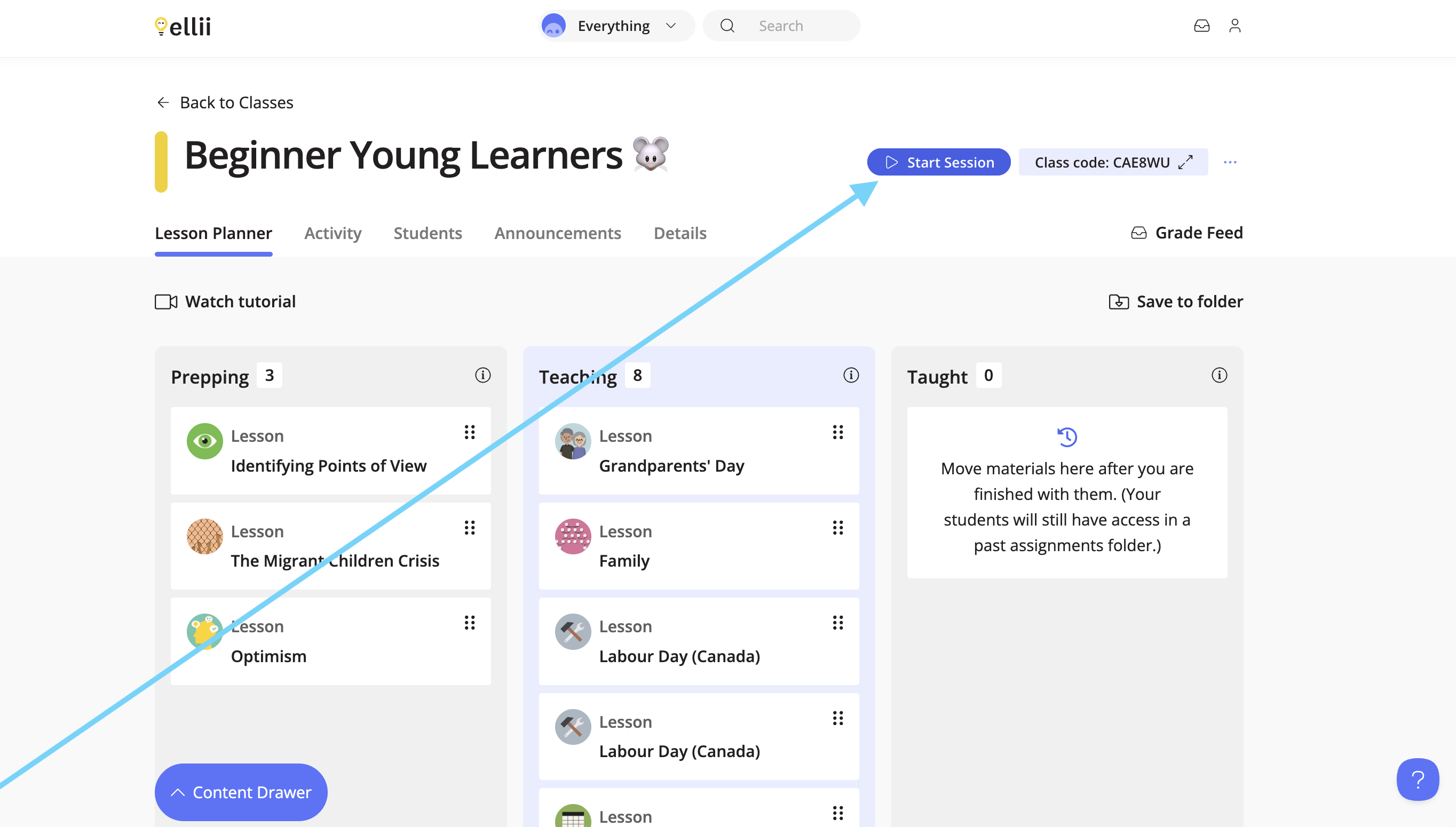
If the teachers are responsible for this choice, they can control this from their Lesson Planner page. Teachers will first click the Start Session button.
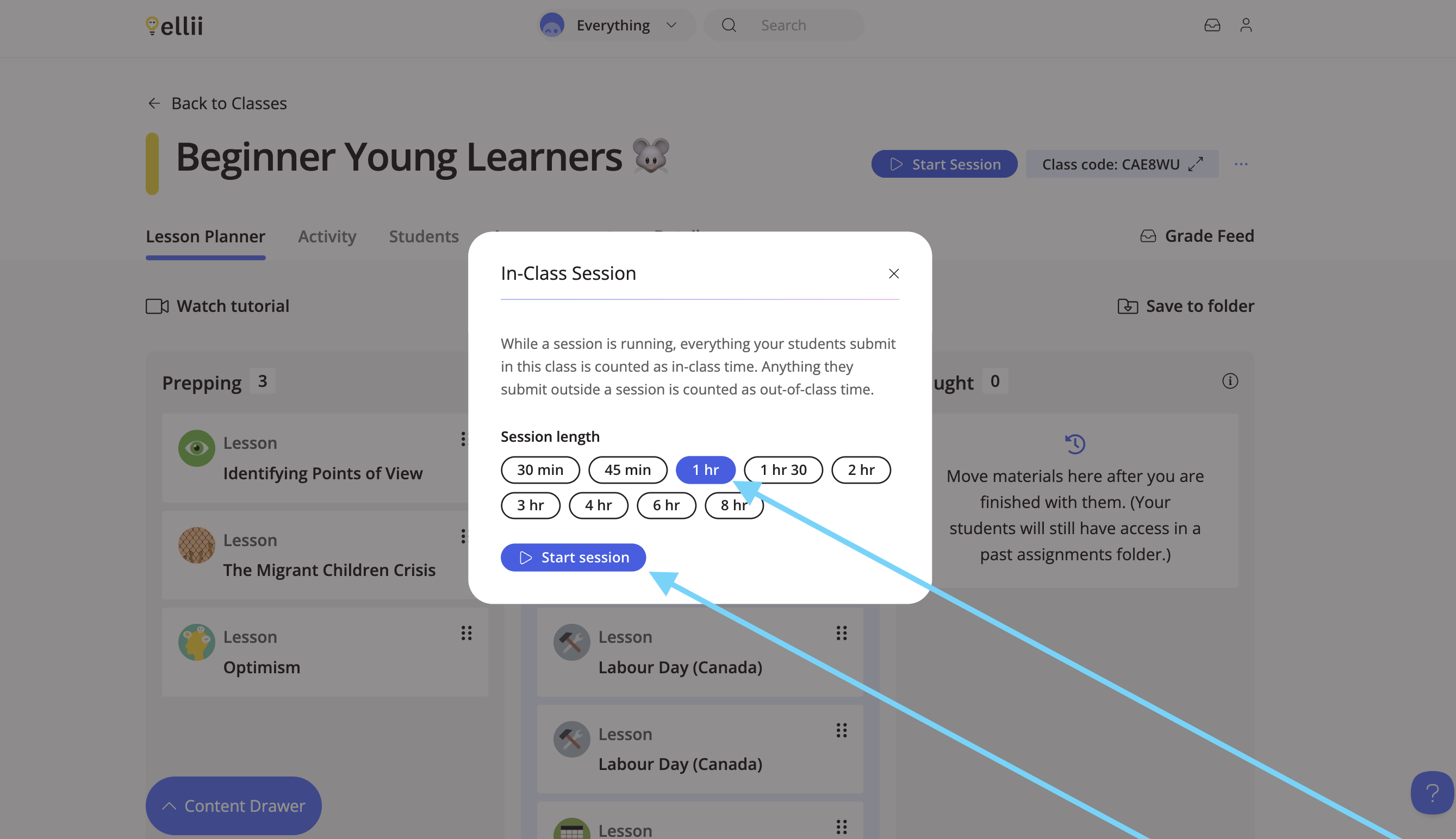
From the pop-up, they will choose how long the session should run for. (Ie: the length of the class). Then, click Start Session. Any work that is submitted within that time will count as work completed in-class.
If the students are responsible for making this choice, they will see the following question when opening a task from a lesson. The selection is remembered for 2 hours. After 2 hours, the student will be prompted once more.
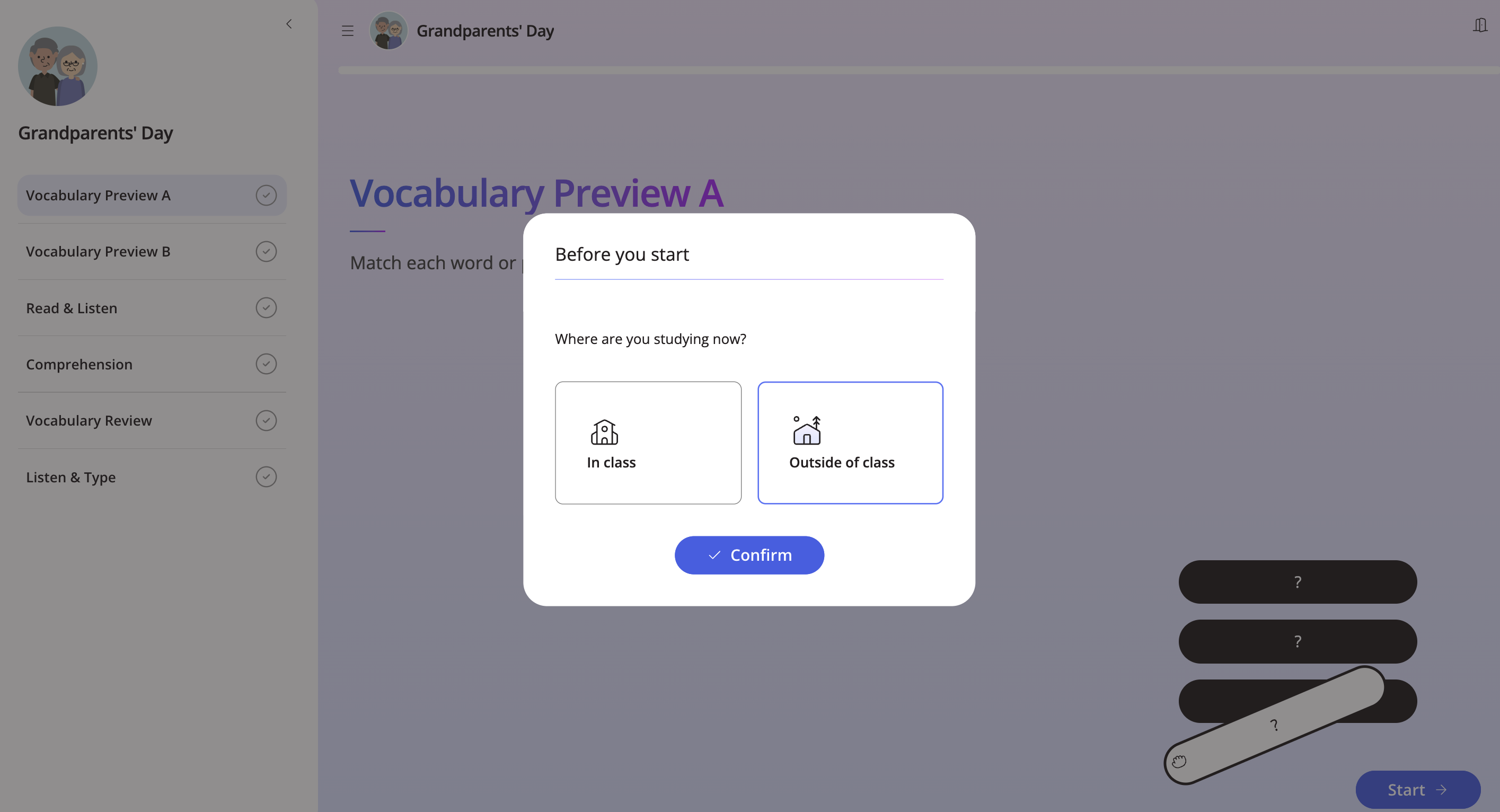
If the student logs in from a different device, they will be prompted with this question again. This separation of time tracked will show up on time-on-task reports, where teachers and admins will be able to see the total time, and the breakdown between in and out of class.
Ellii Solo Sessions Report
Teachers who have access to Ellii Solo will have the option for a Session export, which exports the student activity grouped in 'sessions', periods of work where the student was consistently interacting with the site (not just logged in). Please follow the steps below to find out how to generate this report.
Step 1
Click on the Everything menu.

Step 2
Select Classroom from the dropdown menu.

Step 3
Click on the Ellii Solo tab.

Step 4
Click on Reports.

Step 5
Select a date range and click Apply.

Step 6
Next, click Export Report.

Step 7
Clicking the Unique Session option will download a report in CSV format where you can see 'blocks' of work done by the student, considered a session, with start and end times. Total time shows all of the session as one total time.


We hope this helps you to manage student activity on Ellii. If you have any questions, please contact us and we will be happy to assist you!