
How to Start a Proxy Hours Session
Proxy Hour sessions are a feature available to teachers connected to organization accounts. Teachers can start a timed session when they want to record the time students spend working on assignments in class. Work completed during a session is counted as in-class work, while all other work is counted as outside-of-class work.
If your account admin has enabled Proxy Hours, and requires teachers to create sessions to track students’ in-class work, then follow the steps below to learn more!
Step-by-Step Instructions
Log in to your account here:
Step 1
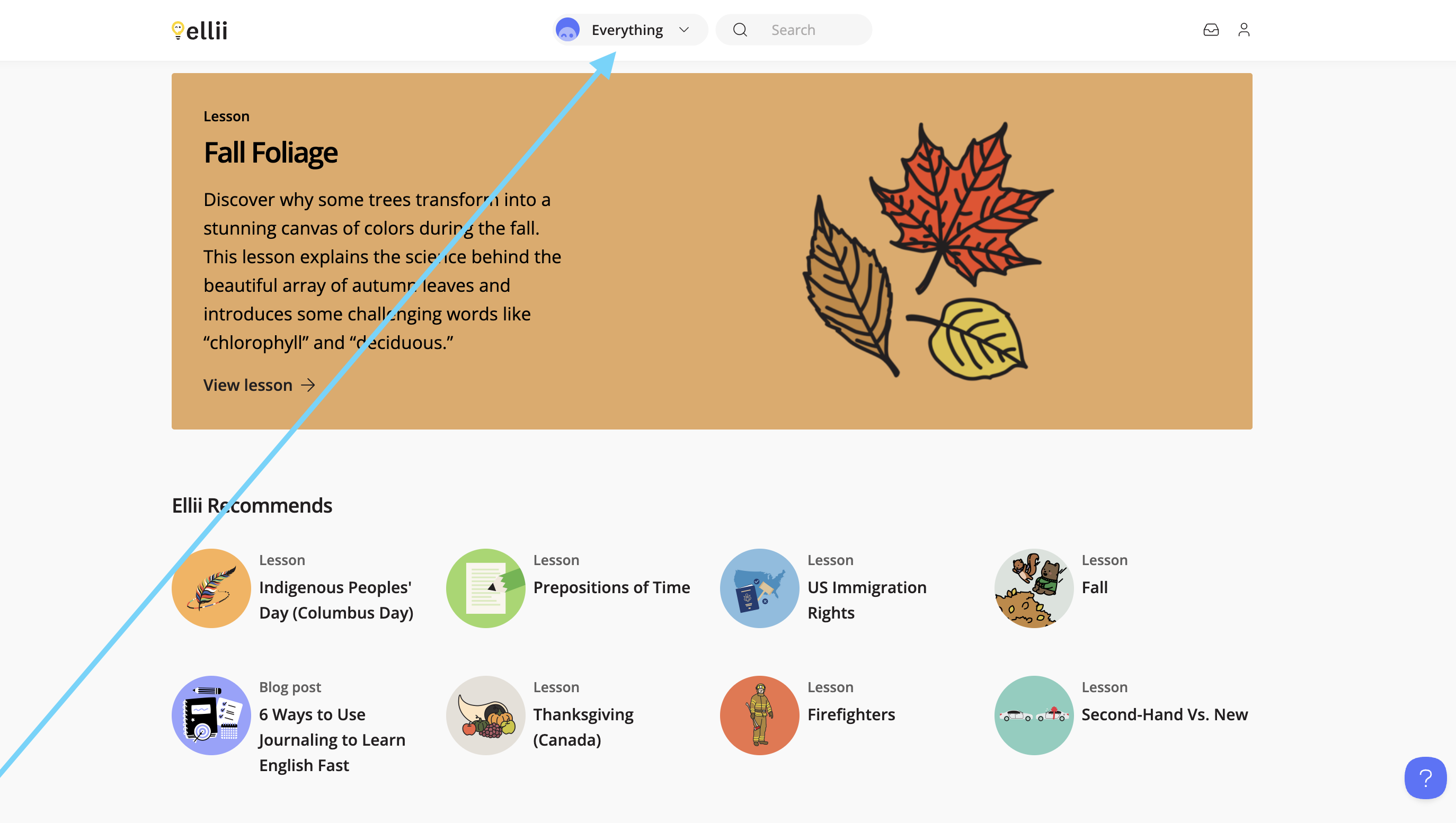
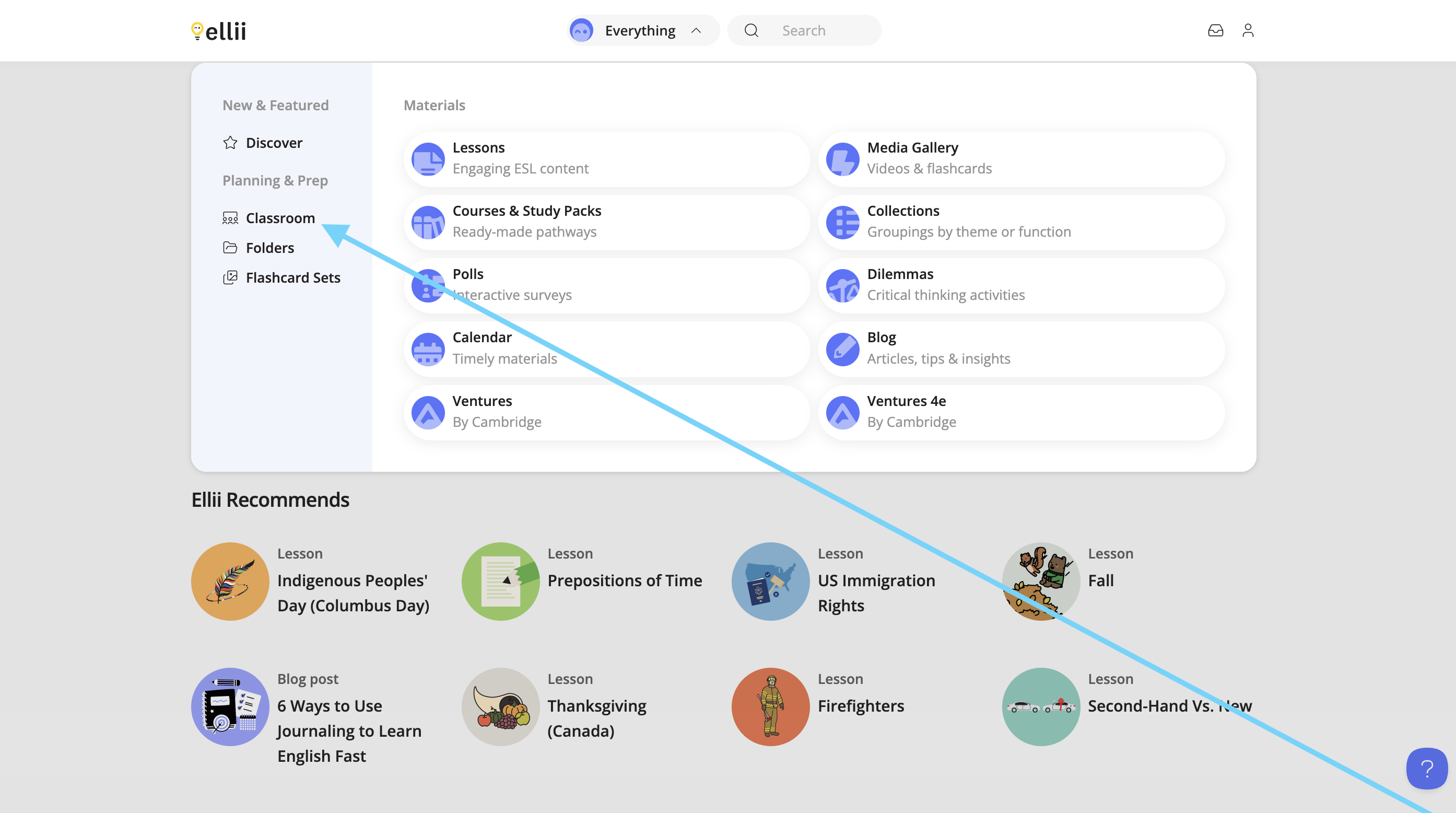
Click Everything at the top and click Classroom from the left-hand side.
Step 2
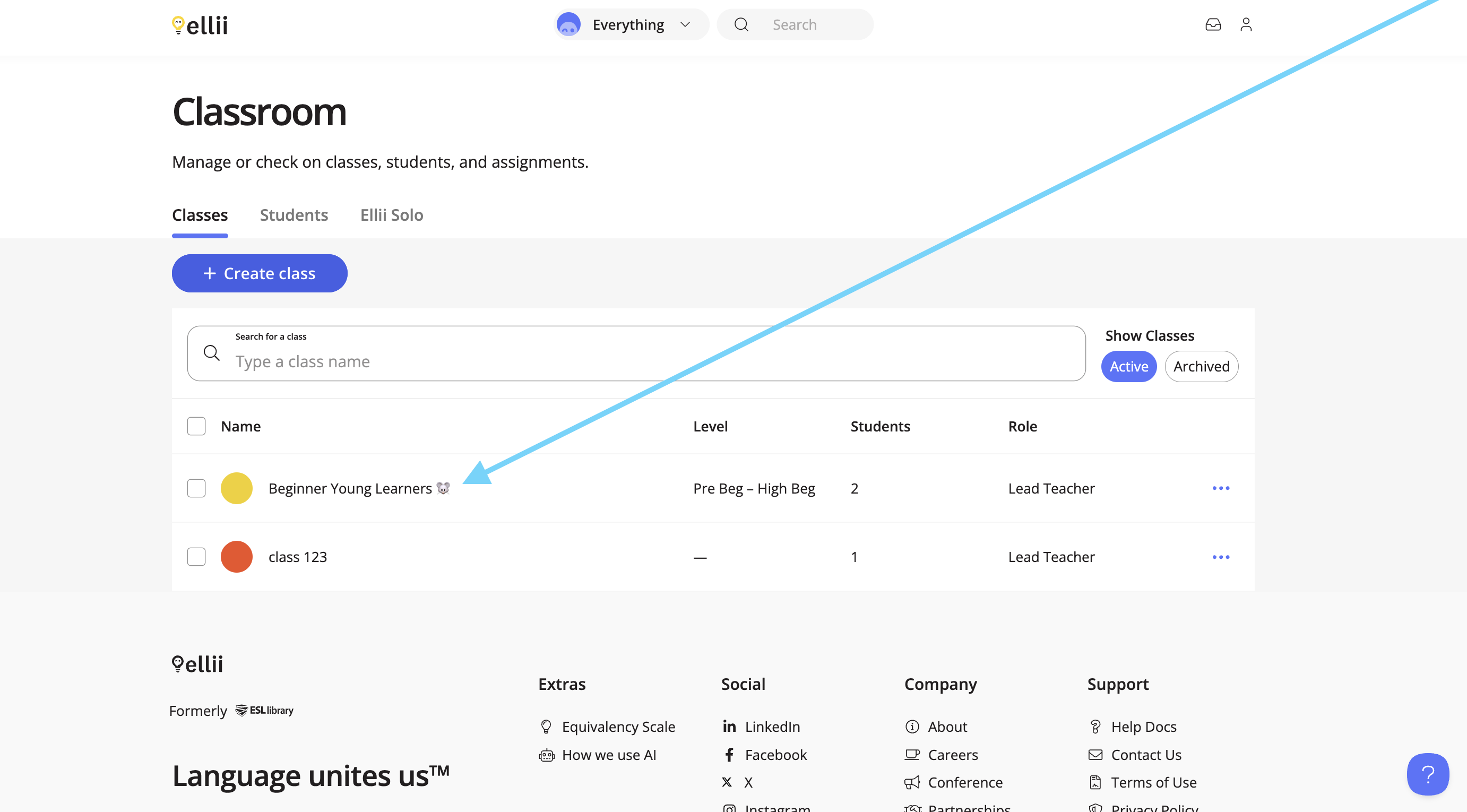
Click the class you would like to start a session for.
Step 3
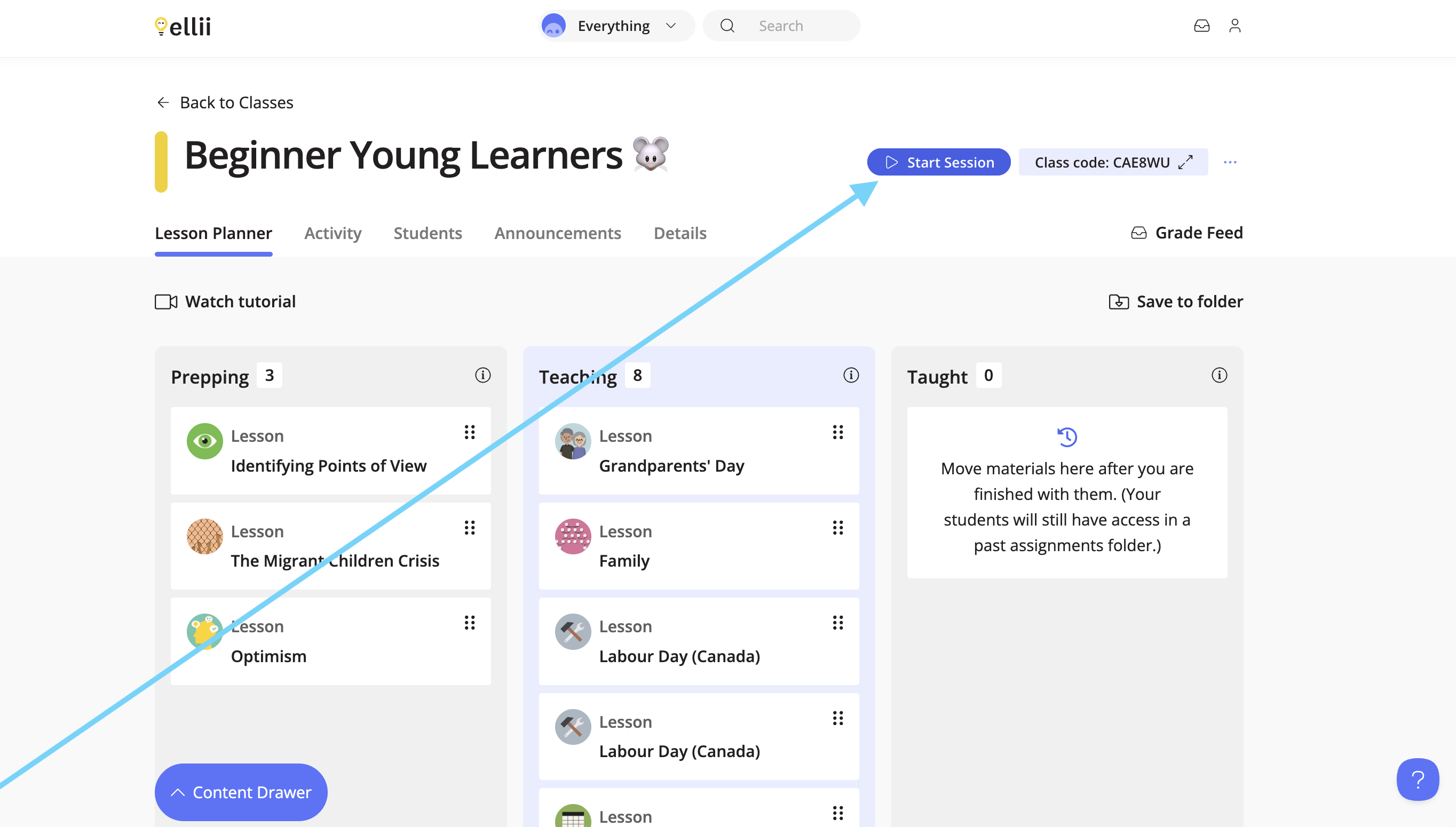
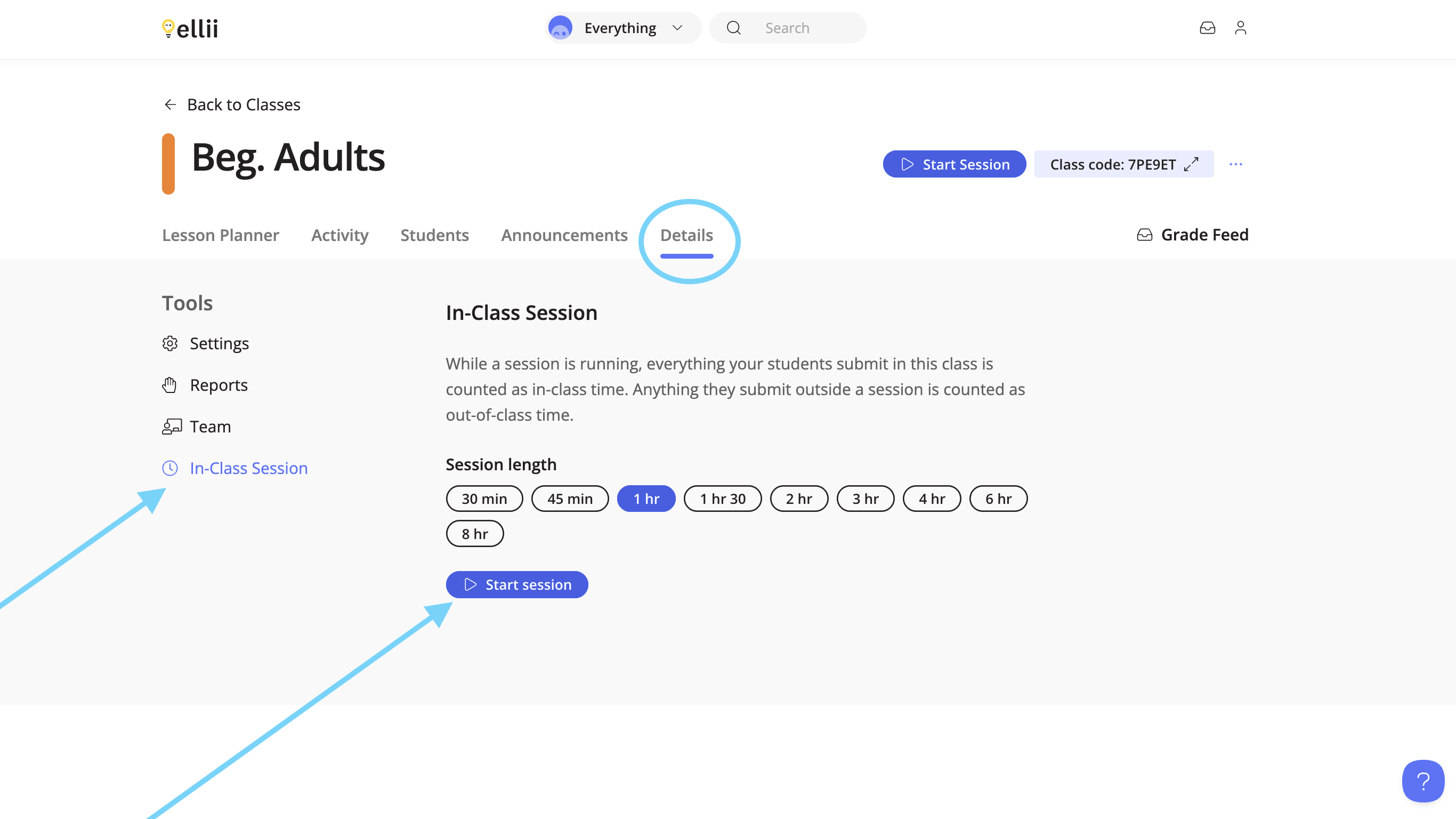
Click Start Session at the top. You can also start a session from the Details tab of your class.
Step 4
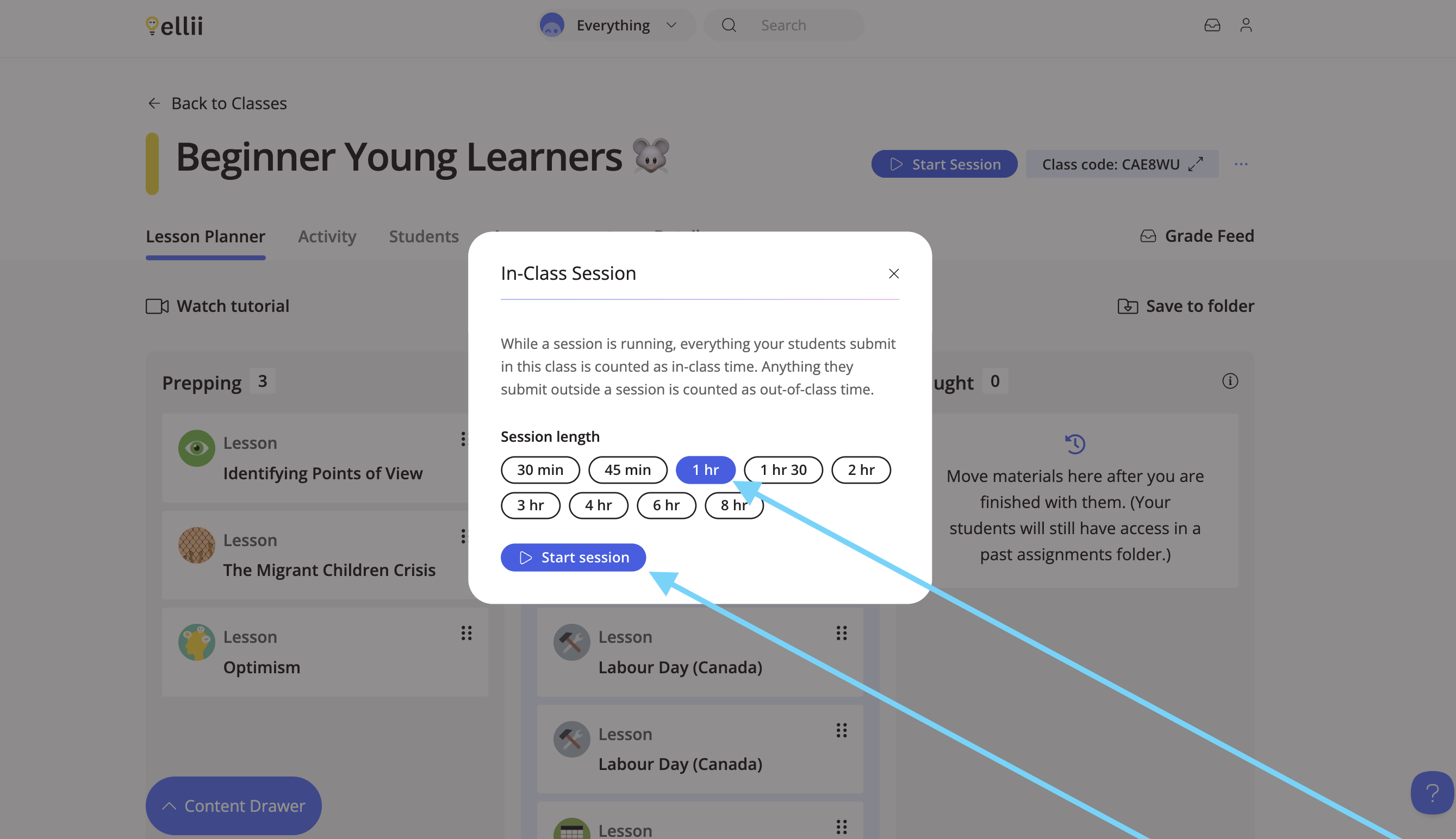
From the pop-up, choose how long the session should run for. (ie: the length of the class). Then, click Start Session. Any work that is submitted within that time will count as work completed in-class.
Step 5
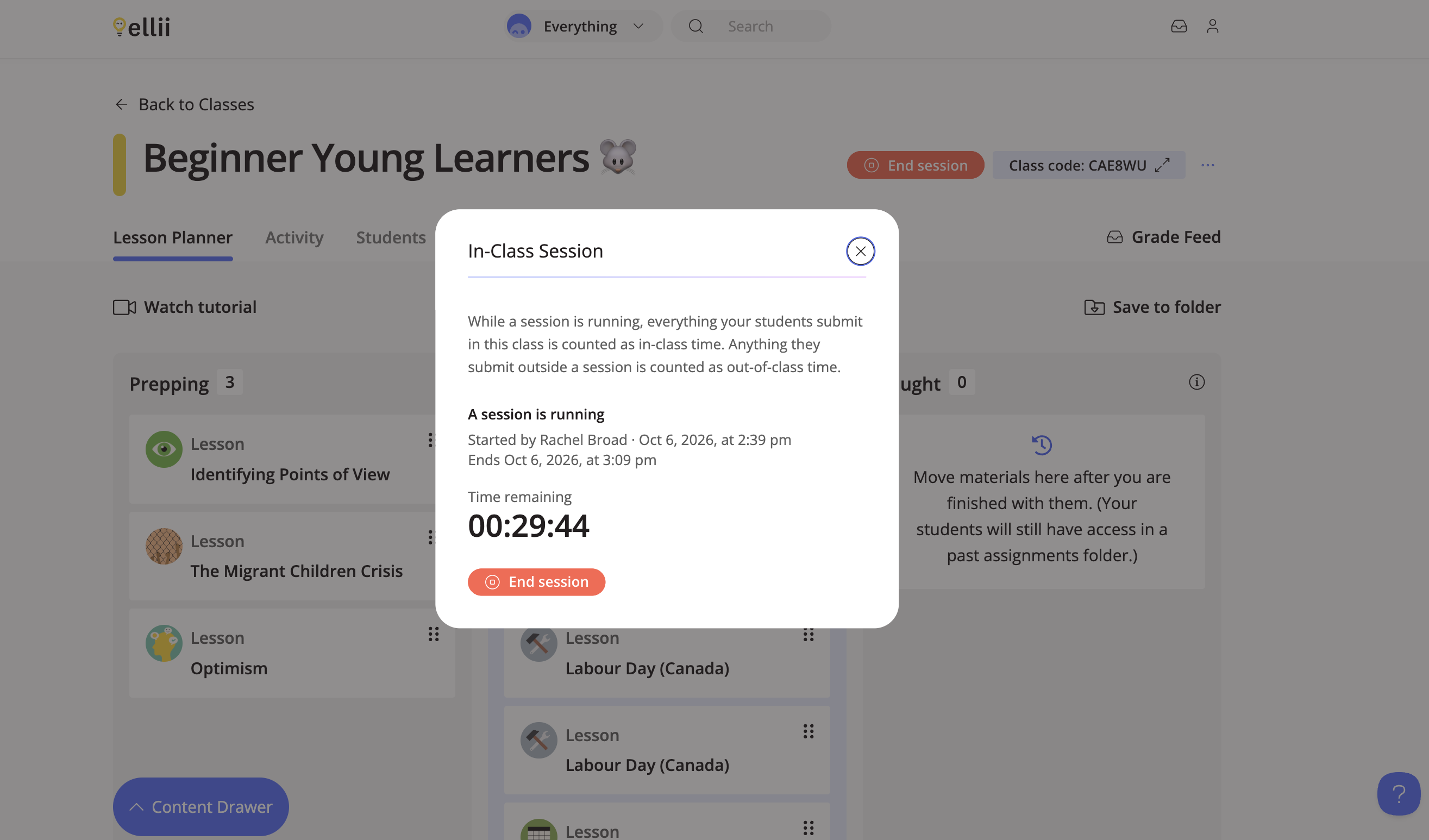
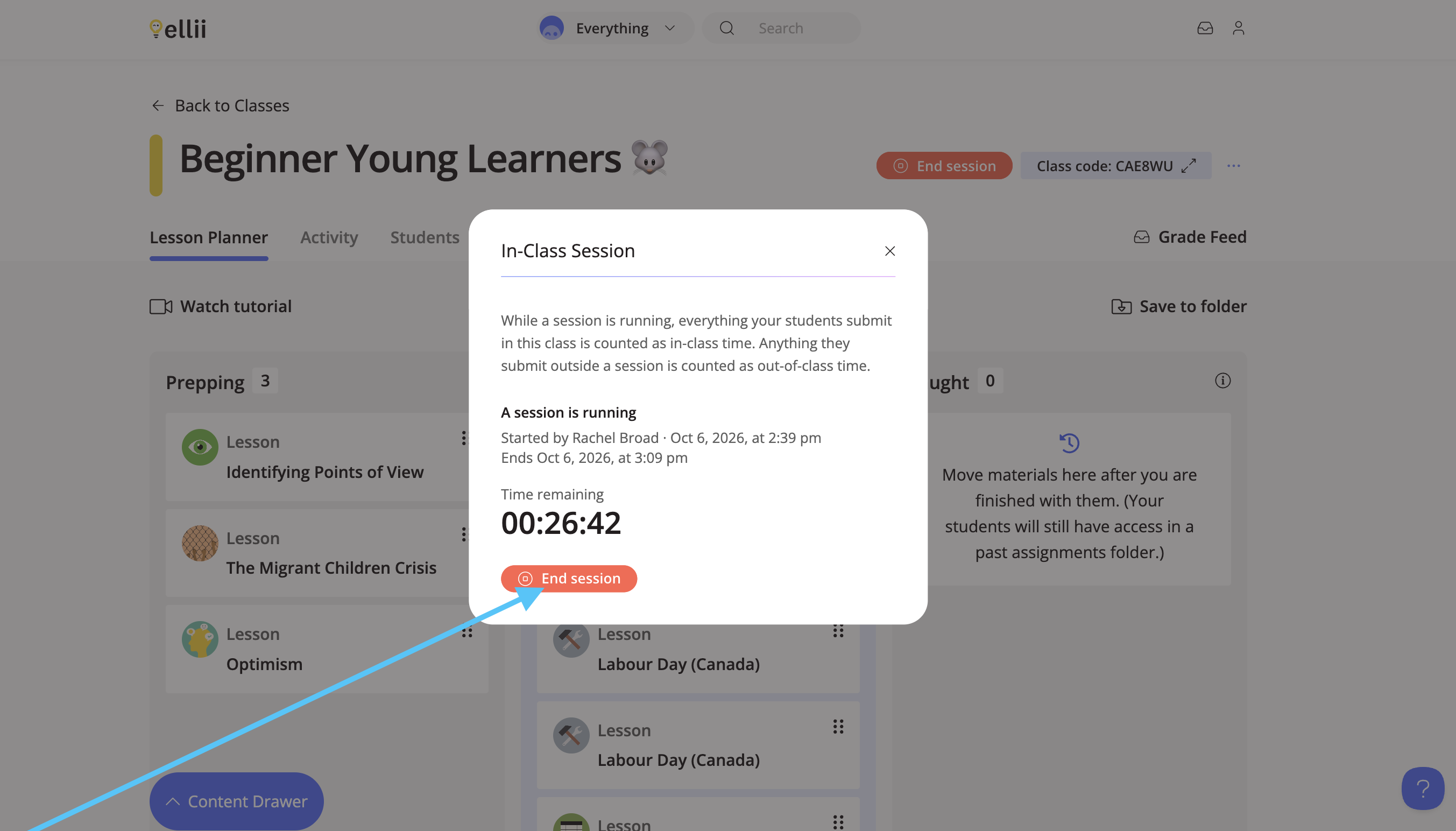
A pop-up will appear with more information as well as a countdown. Click End Session to end the session or click the X to leave the pop-up.
Step 6
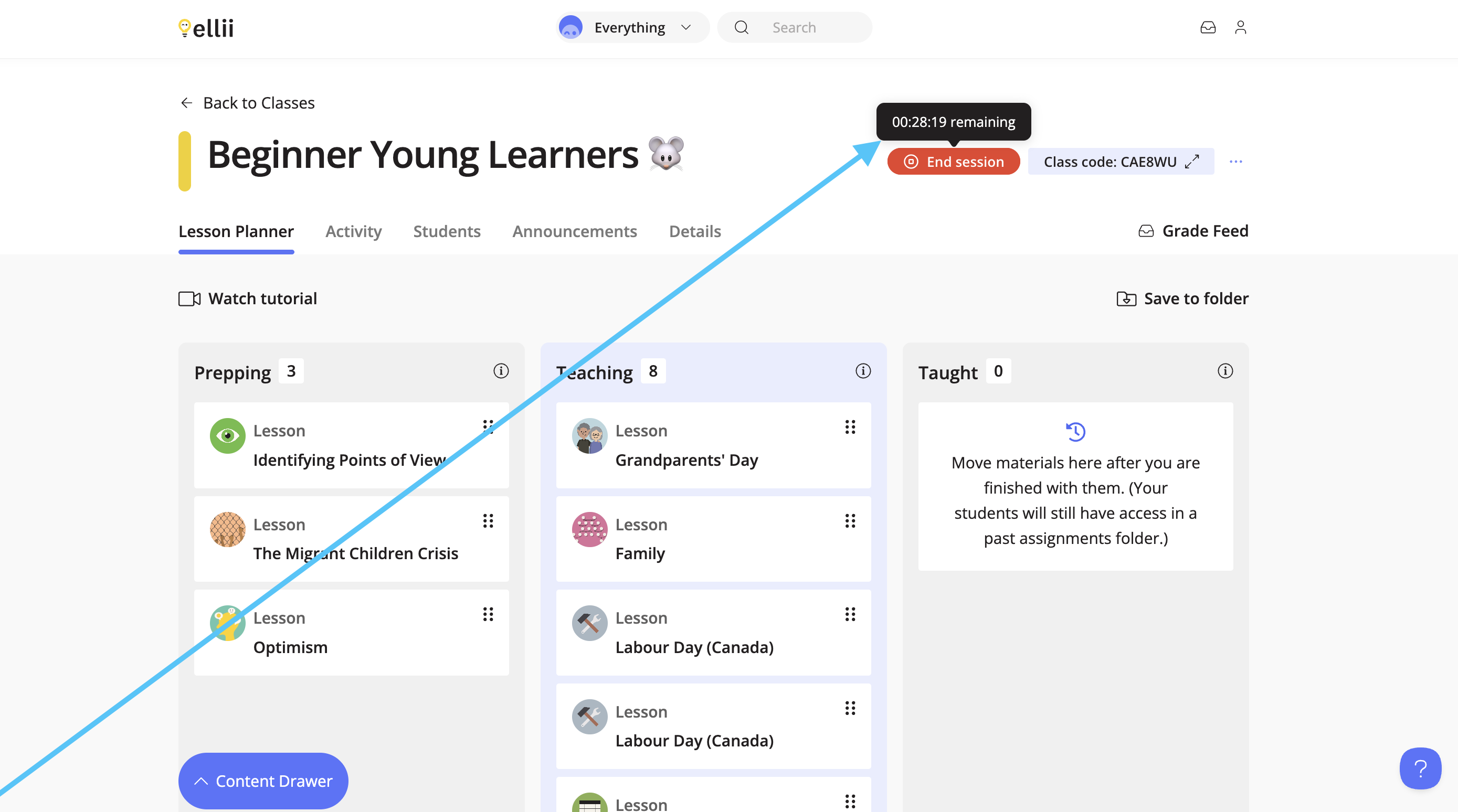
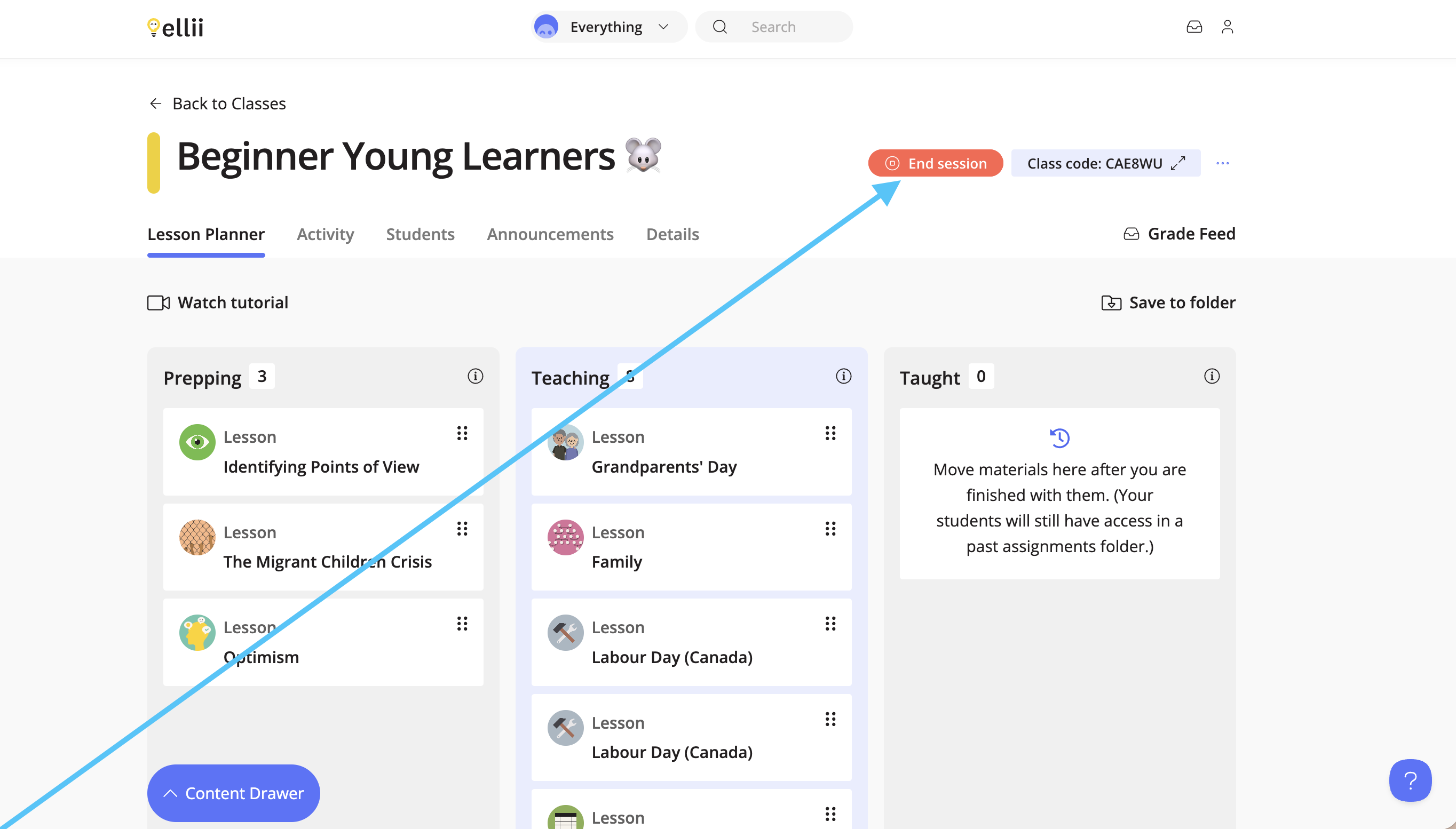
You can exit the pop-up, and hover over the End Session button at the top to view the timer. If you leave the Lesson Planner and come back, the timer will still be running.
Step 7
To end the session, click End Session.
Step 8
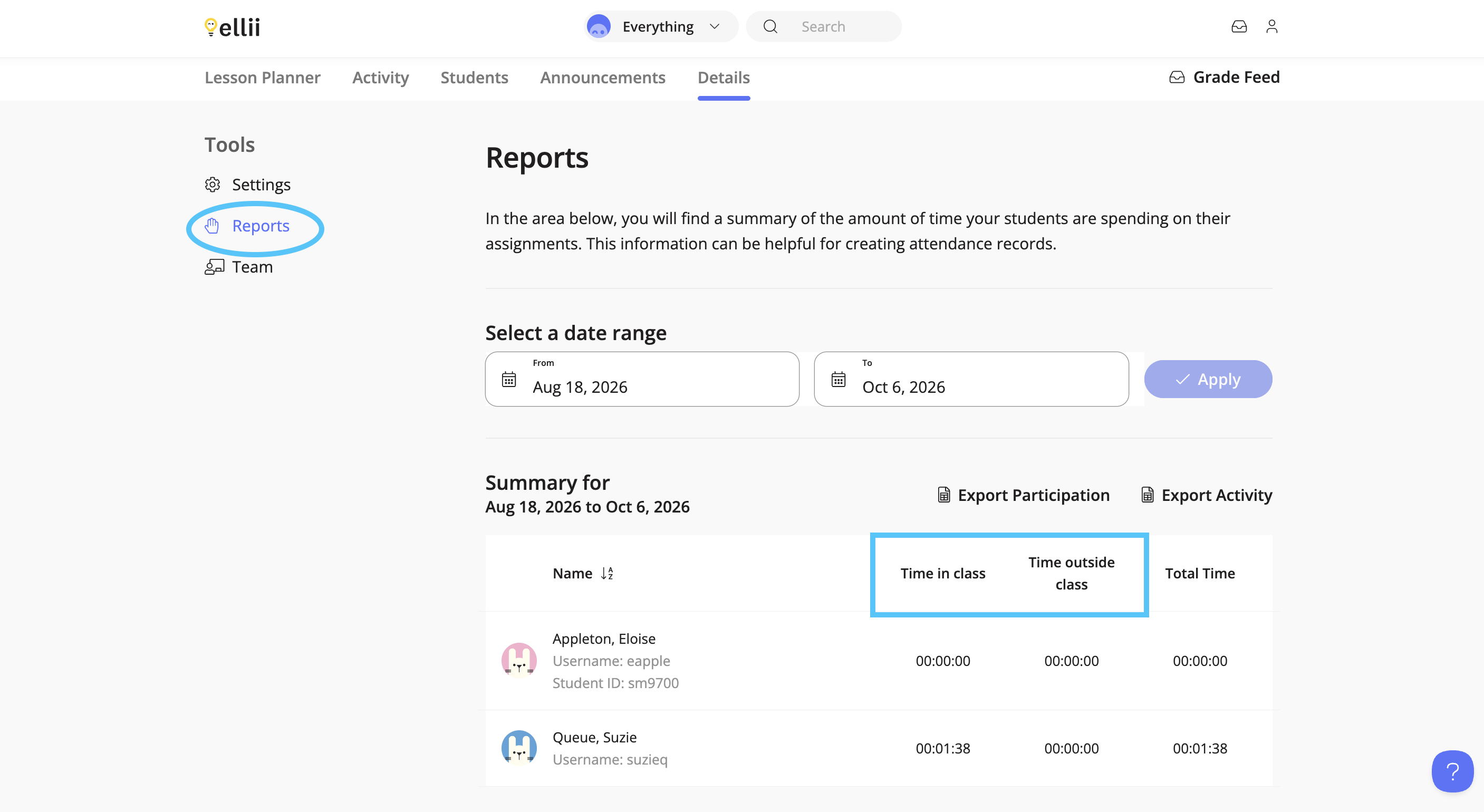
When you view reports, you will then see the time categorized as Time in Class and Time Outside of Class.
If you have any questions, please let us know!