
How to View Ellii Solo Shorts
Shorts are quick videos under a minute with fun, useful information. Follow the steps below to learn more!
Step 1
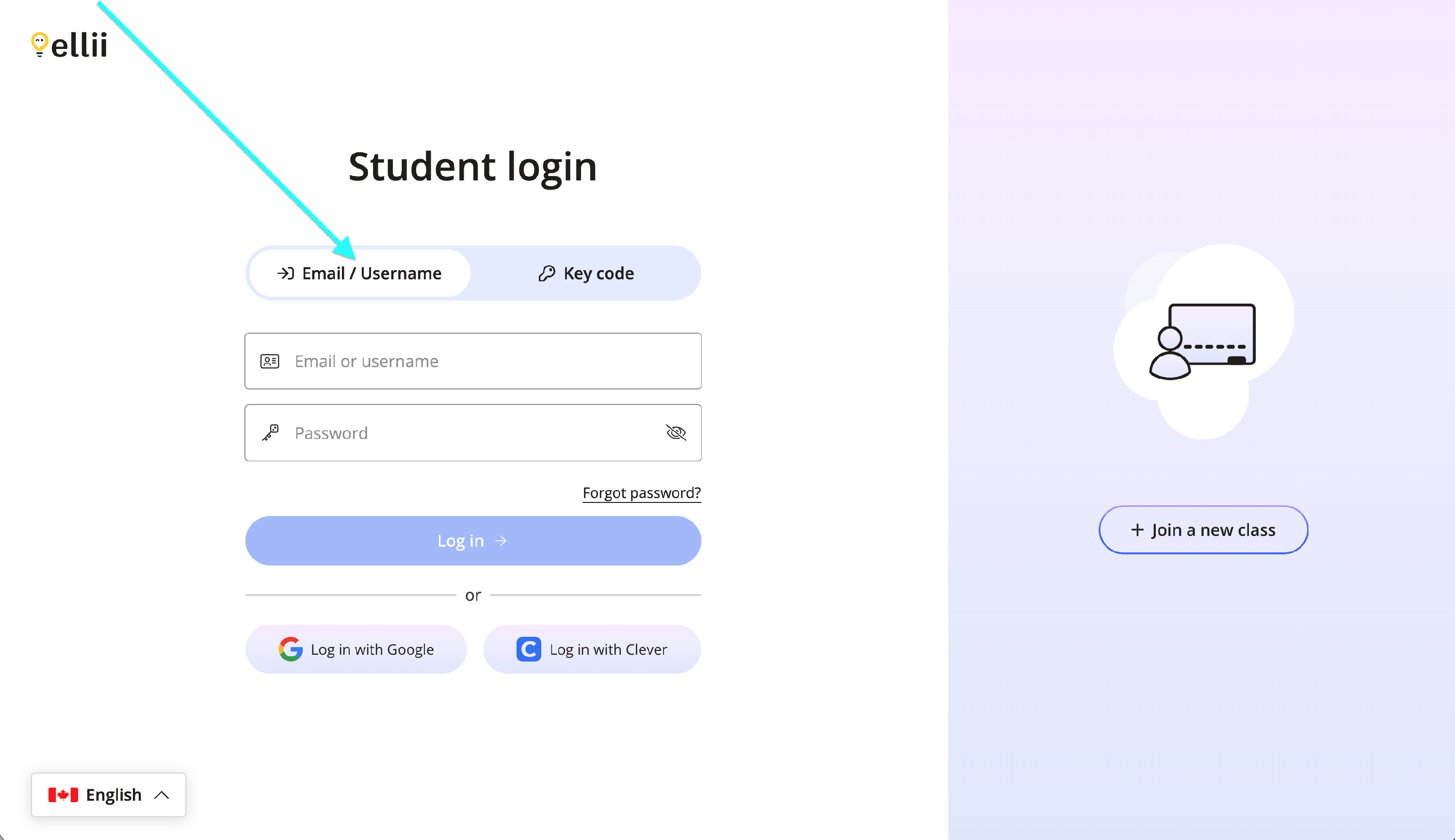
Log into your student account via https://ellii.com/students.
If you log in with an email address or username, click on the Email/Username tab and enter your information.
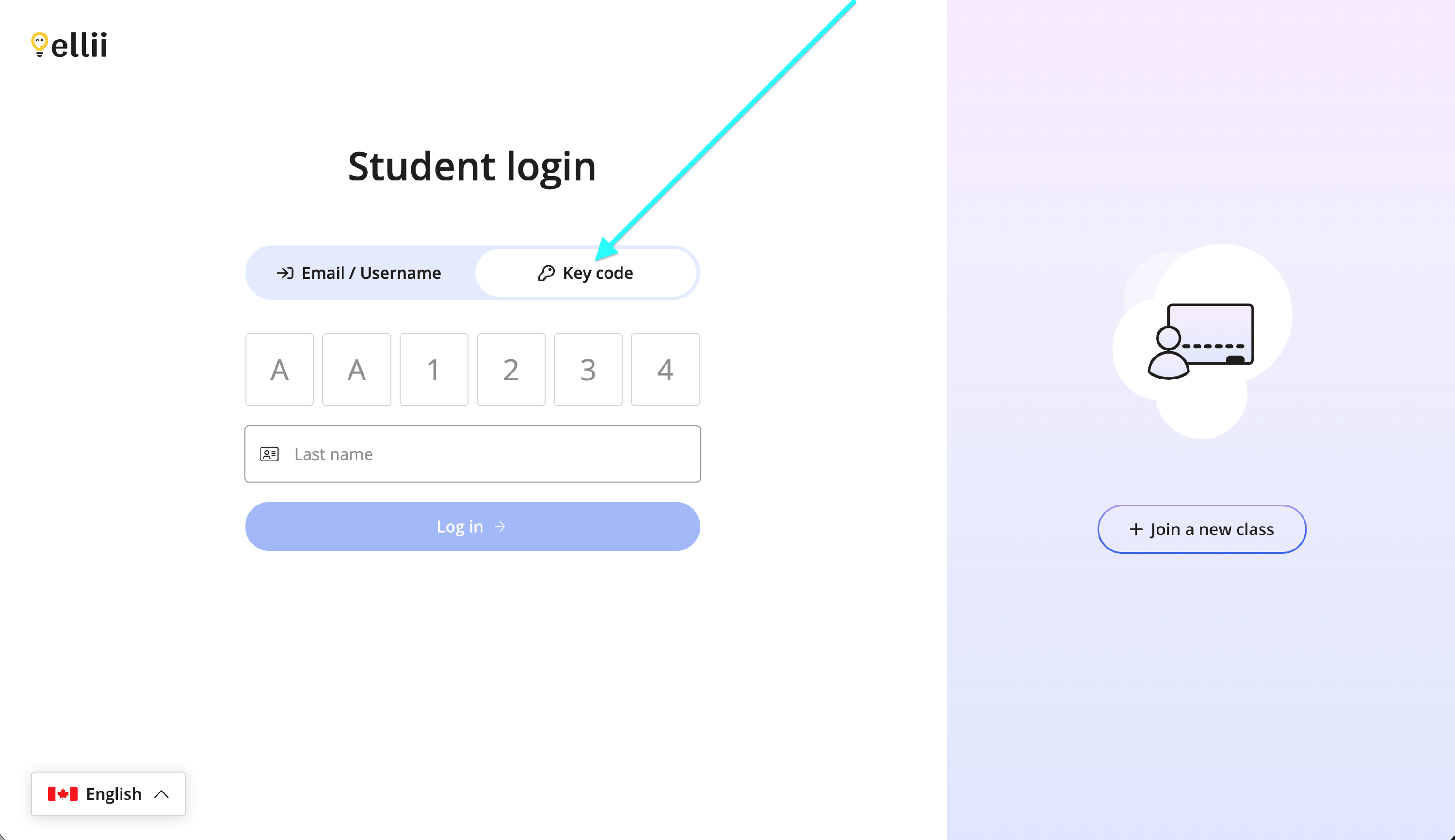
If you use a key code, click on the Key code tab and enter your information.
Step 2
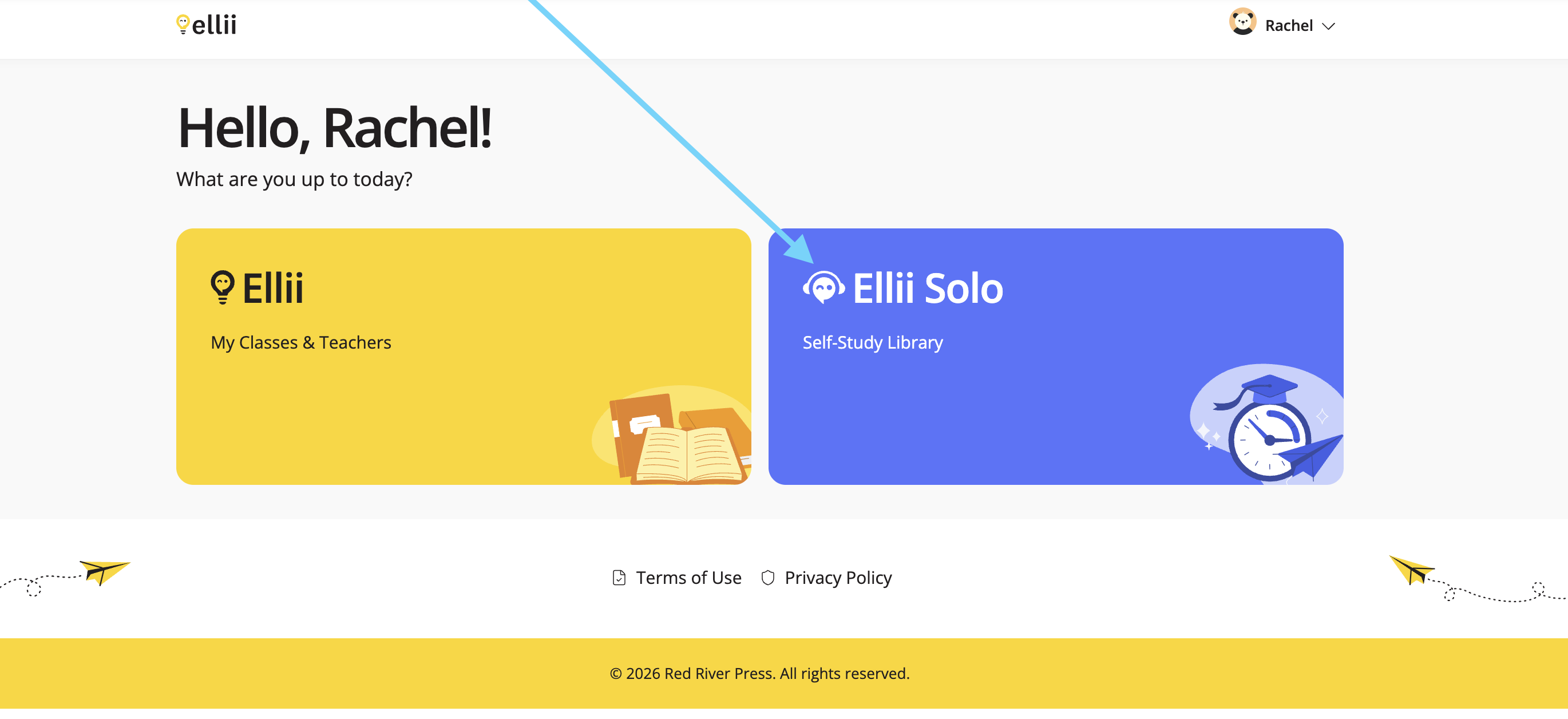
Once logged in, click on Ellii Solo.
Step 3
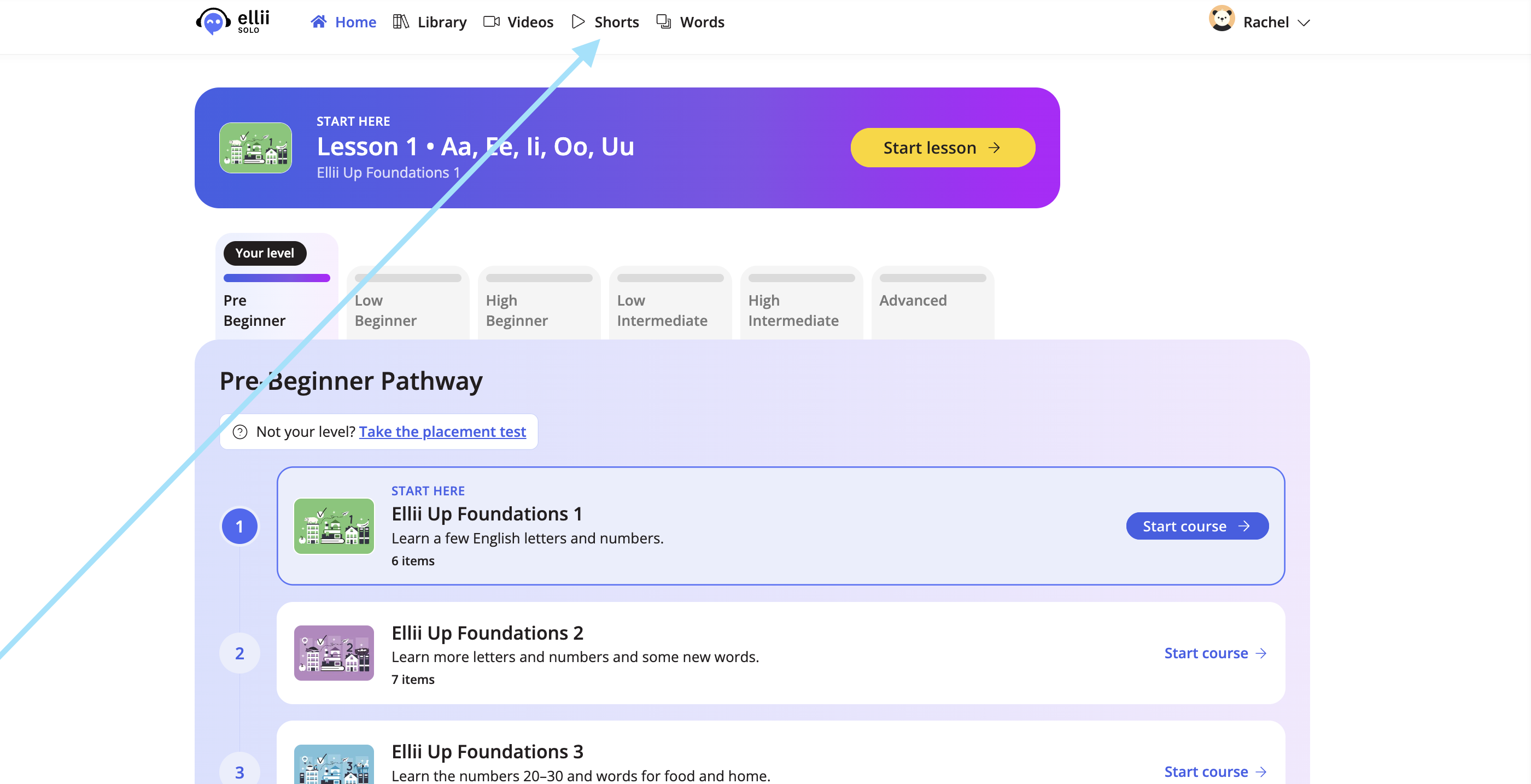
Click Shorts at the top.
Step 4
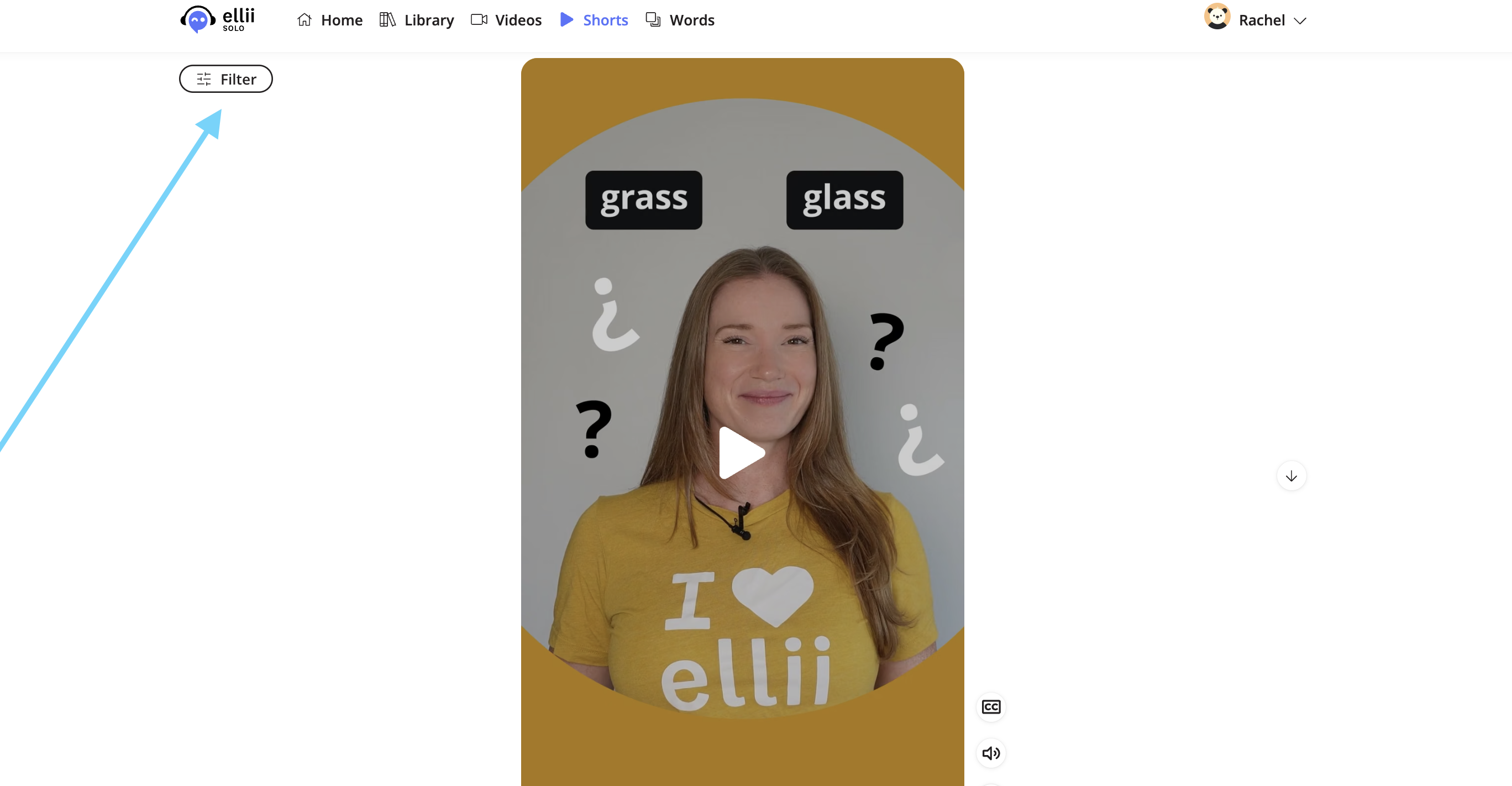
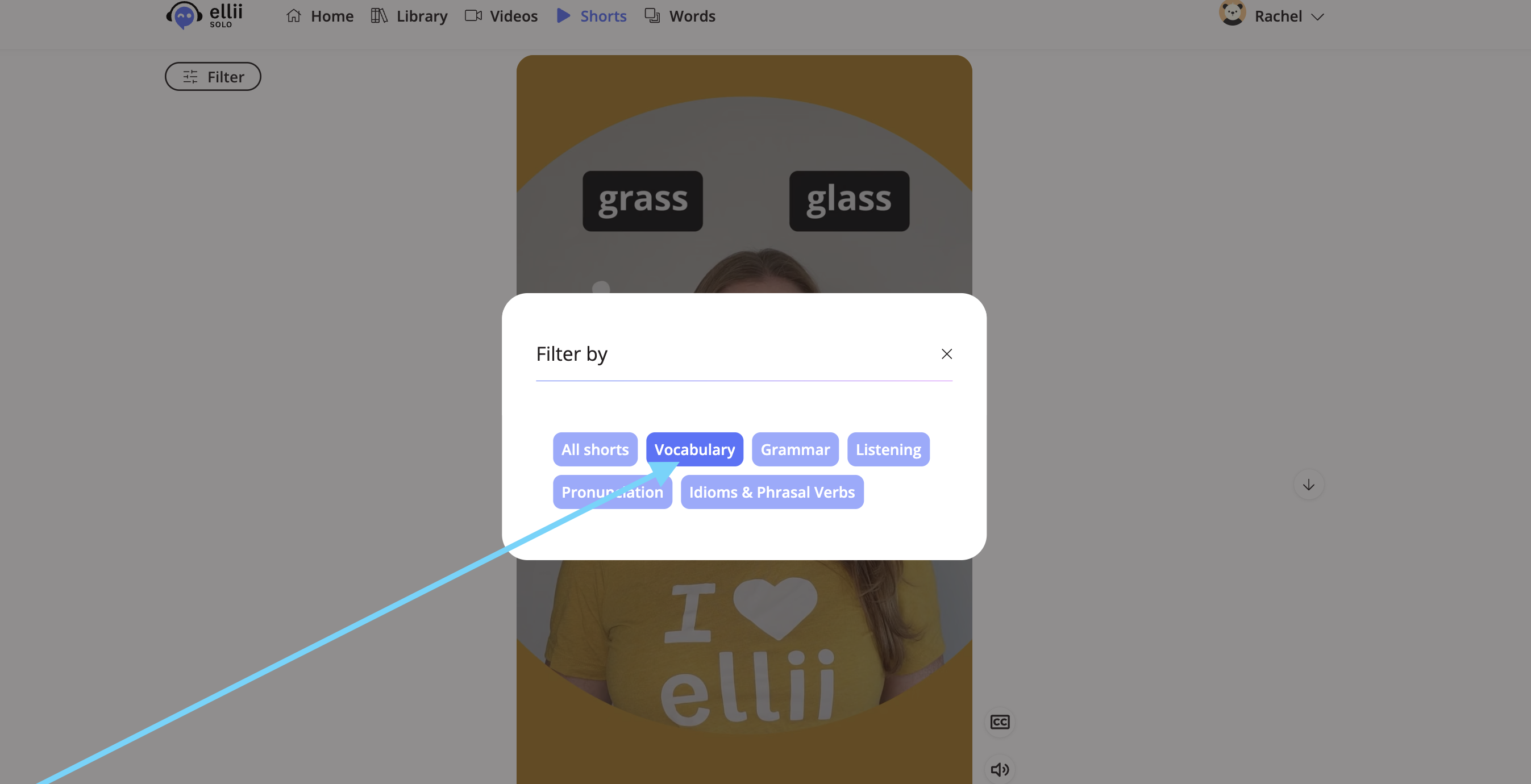
You can search for specific types of Shorts by clicking on Filter and choosing a category.
Step 5
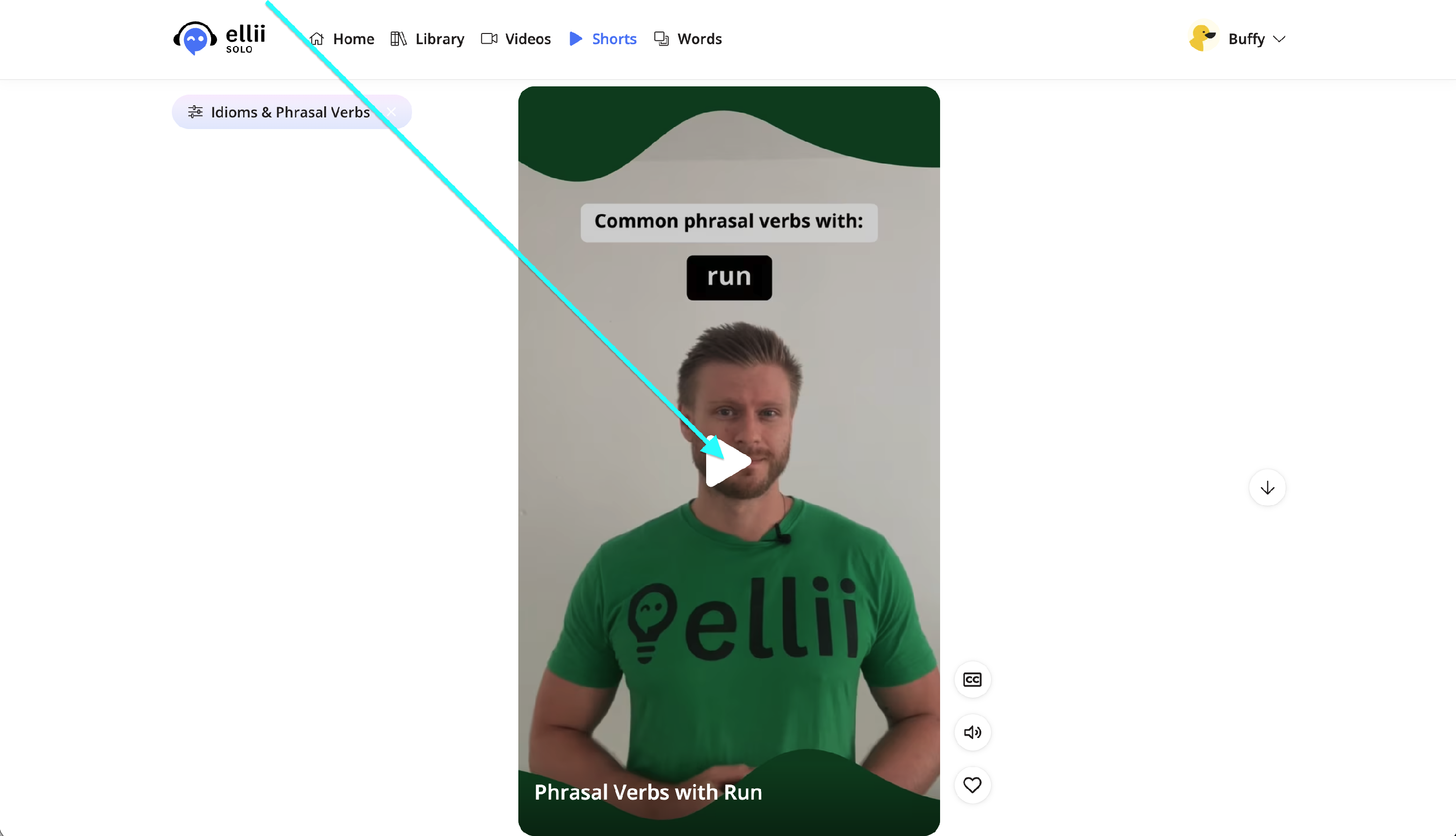
Click on a Short to play it. Use the buttons at the side to turn on the captions, mute the sound, and give it a like. Liking a Short shows you other similar Shorts in the future.

Step 6
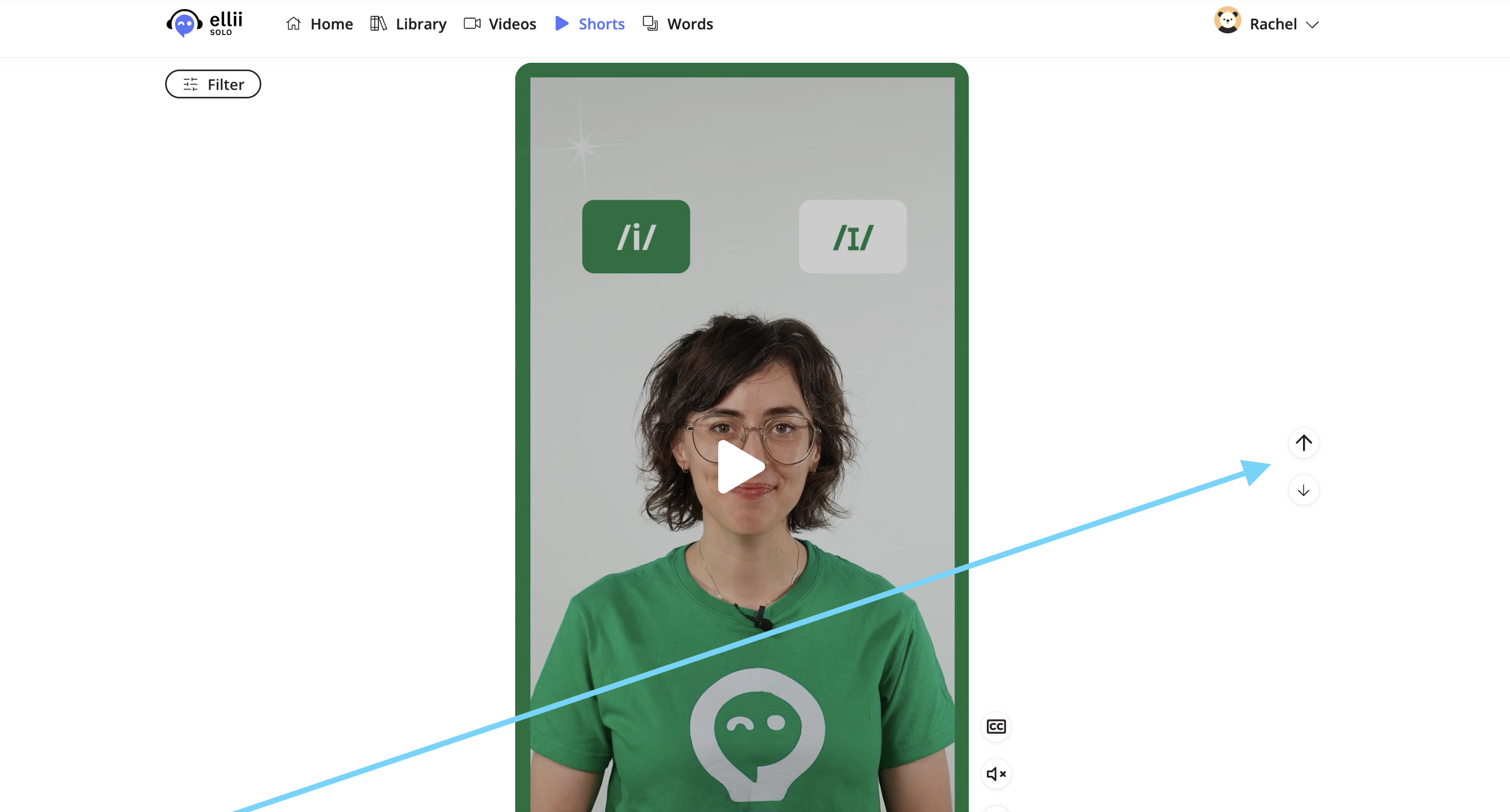
Use the arrows at the side to browse through the Shorts or scroll with your device.
Please let us know if you have any questions!