
How to Change your Students’ Ellii Solo Level
If the administrator of your account has turned this setting on, you are able to change your students’ Ellii Solo levels before, and after they have taken the placement test. Follow the steps below to learn how!
Step 1
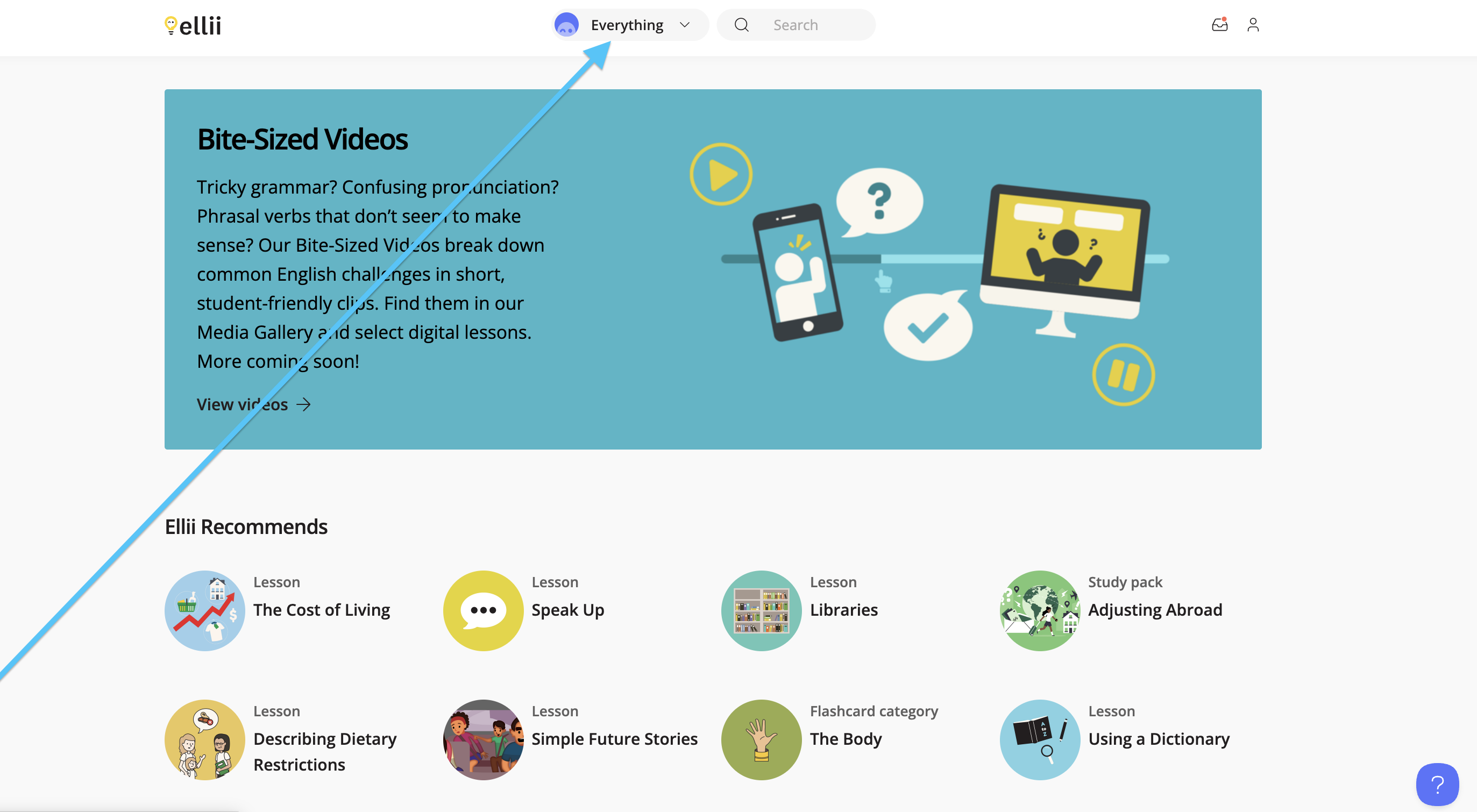
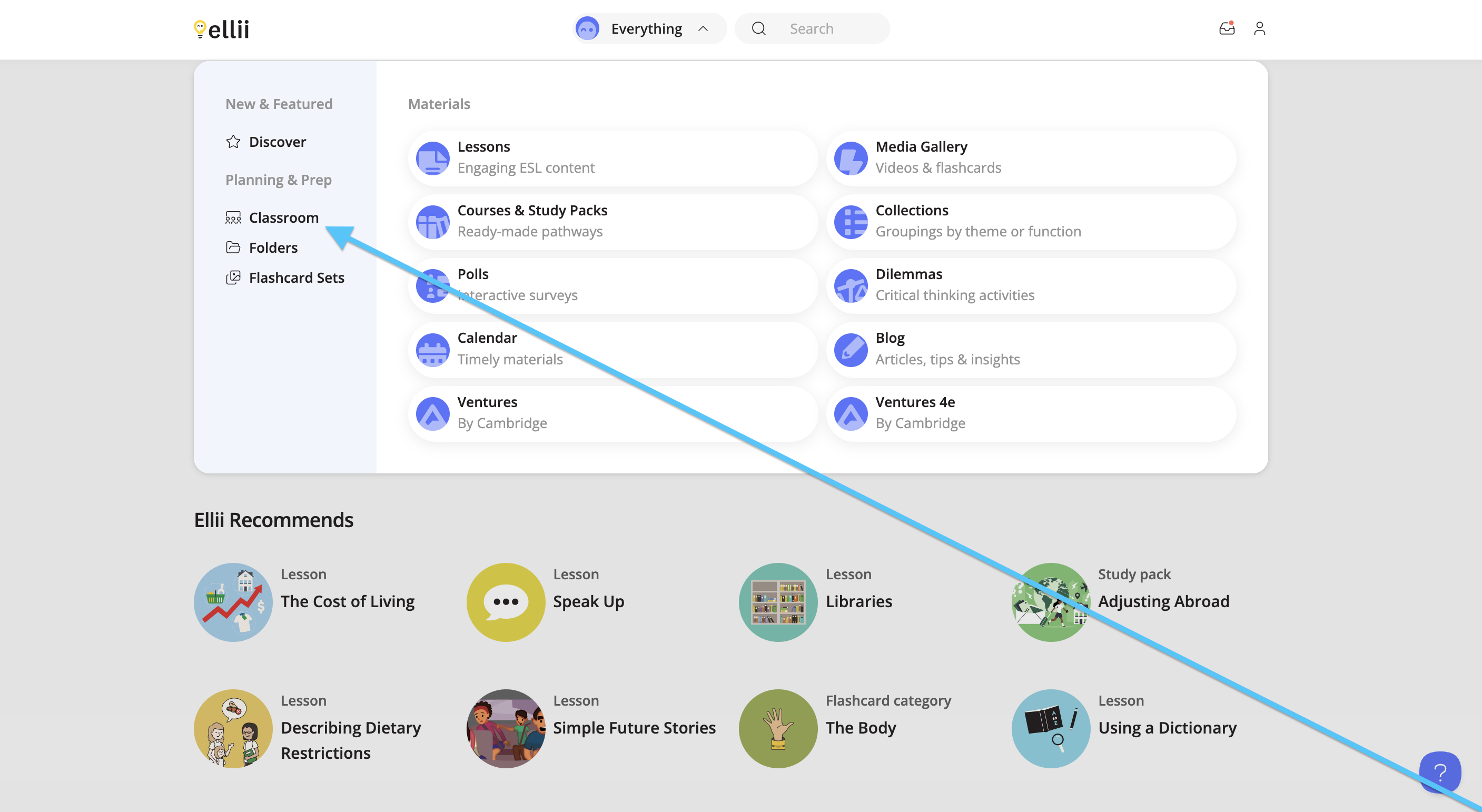
Click Everything at the top and click Classroom from the drop-down menu.
Step 2
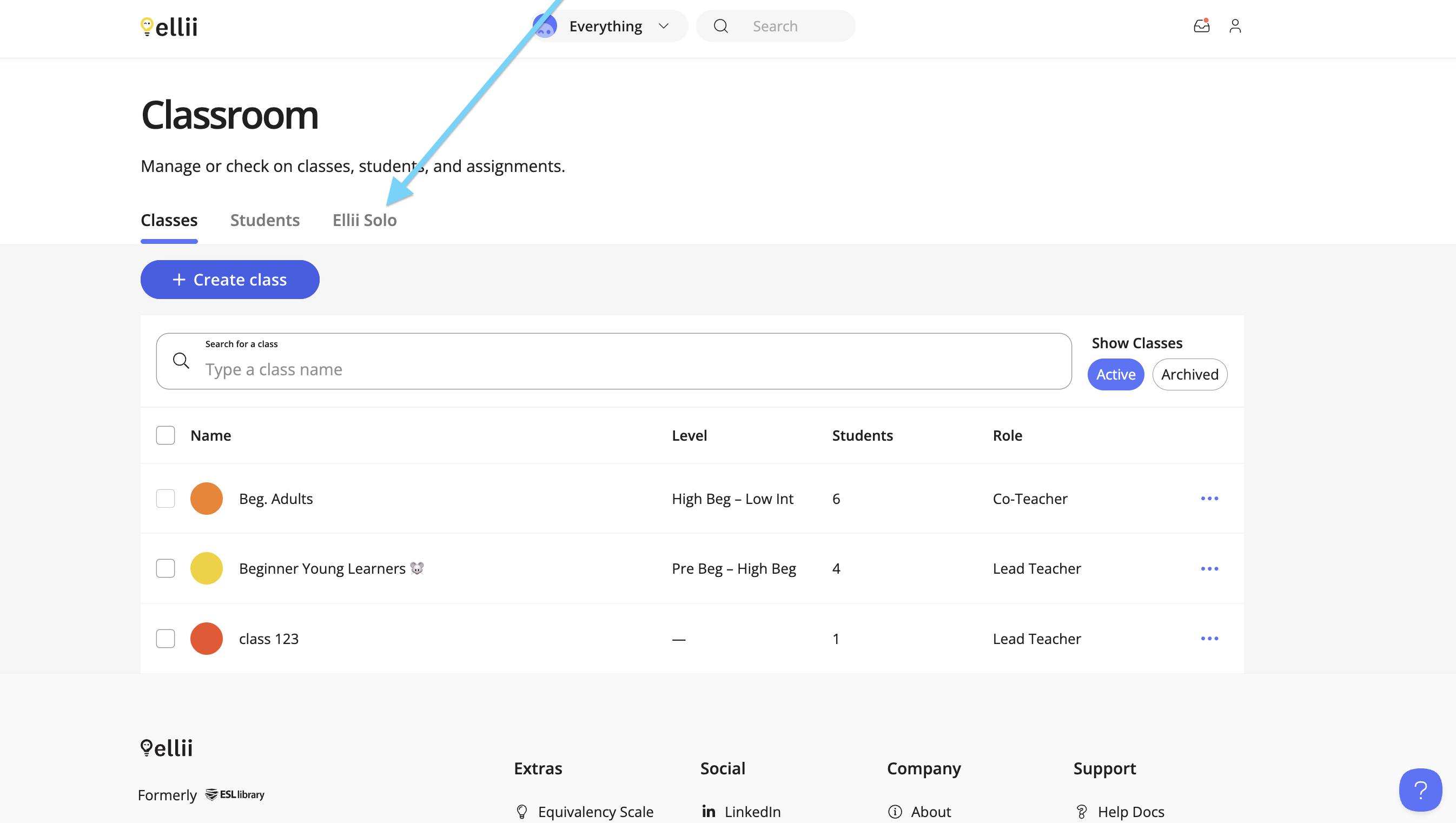
Click the Ellii Solo tab.
Step 3
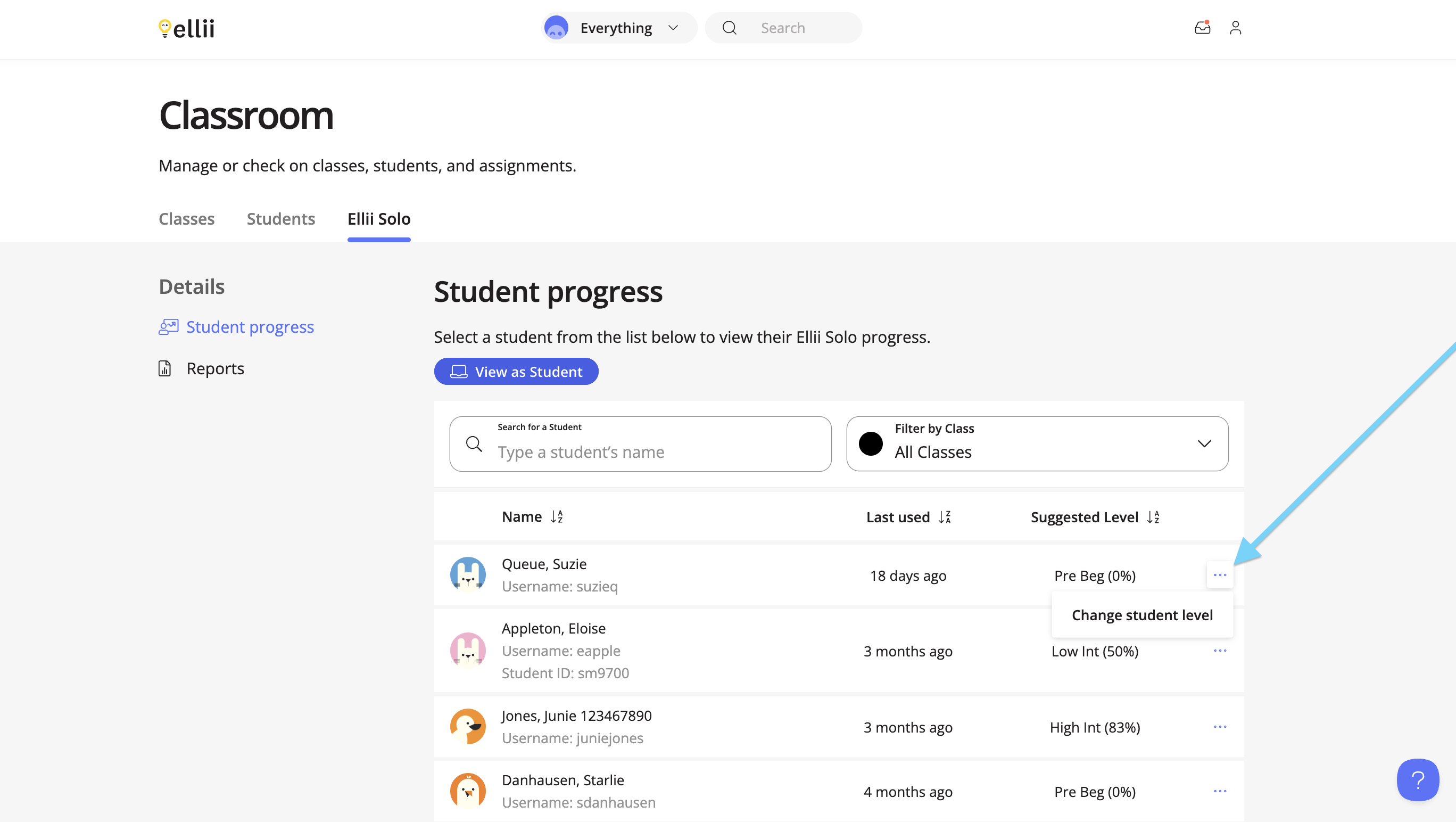
Click the more options (…) menu next to the student’s name, and click Change student level.
Step 4
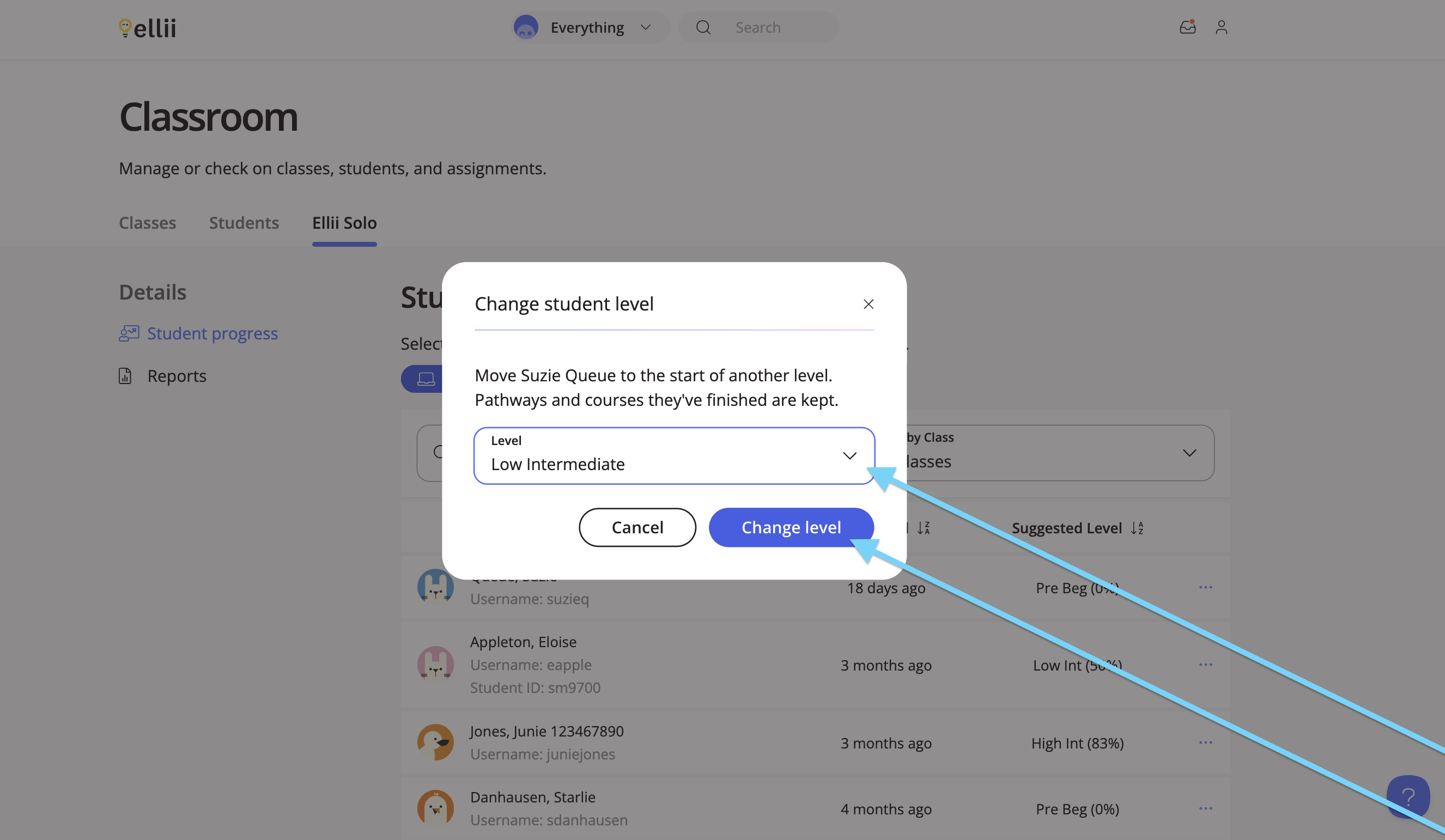
Choose a level from the menu, and click Change level.
Step 5
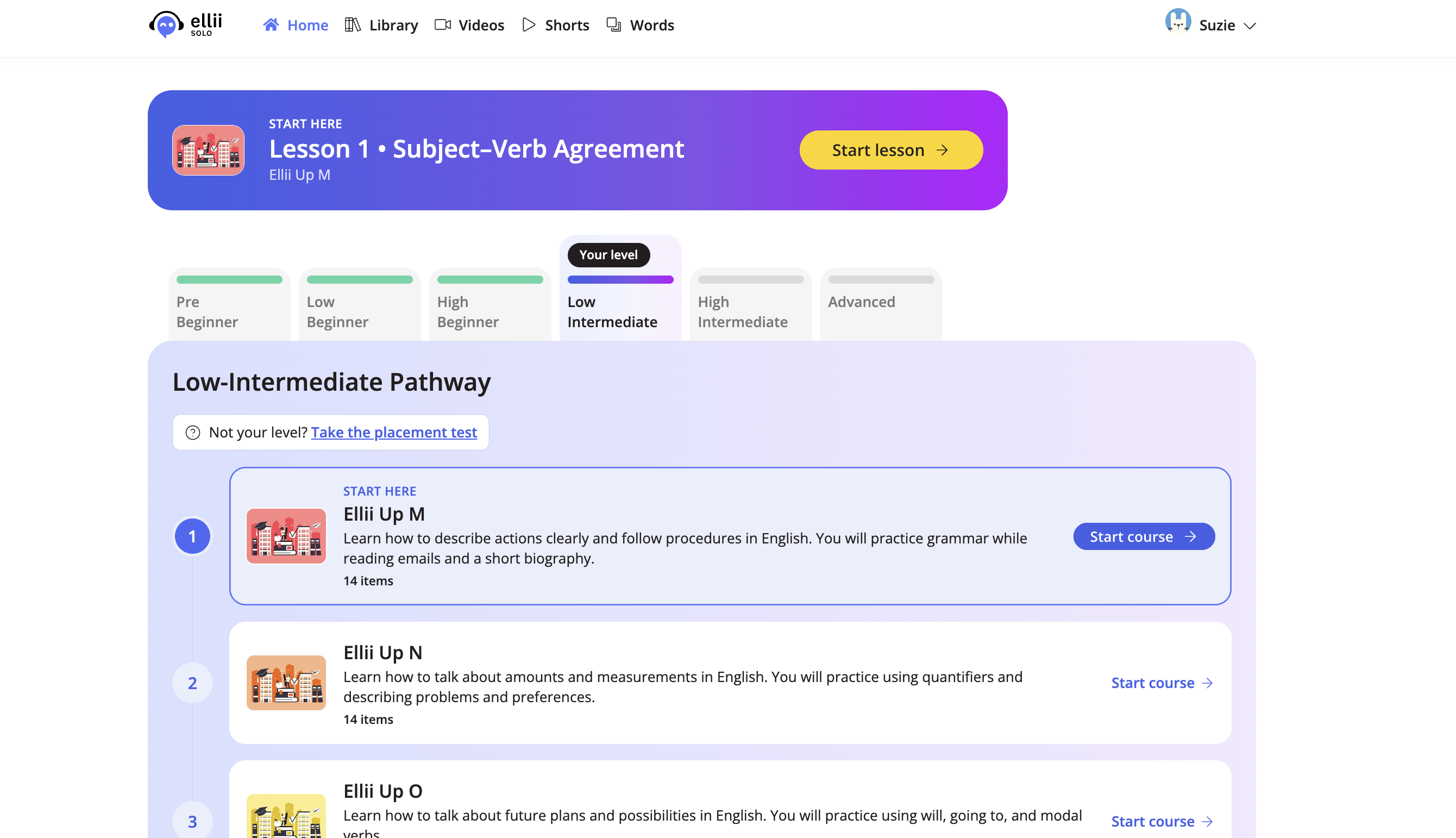
When your student logs in, they will see their new pathway.
If you have any questions, please let us know!