
How to Set Ellii Solo Preferences (Admins)
As the administrator of an organization account, you can change and set the Ellii Solo settings for students. This includes changing the student’s Ellii Solo access, their levels and more. Follow the steps below to learn how!
Step by Step Instructions
Log in to your account here:
Step 1
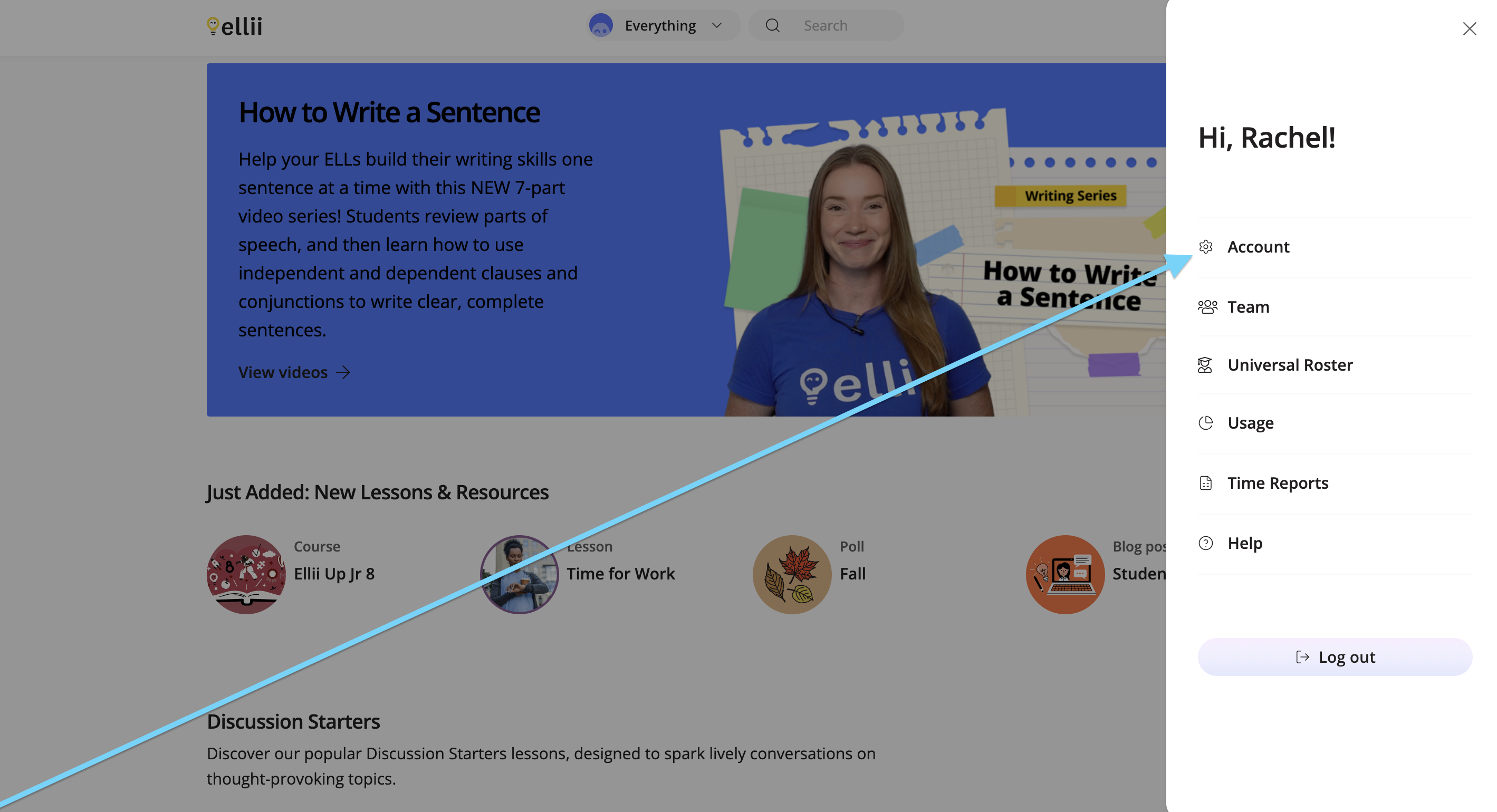
Click the Profile icon, and choose Account from the menu.

Step 2
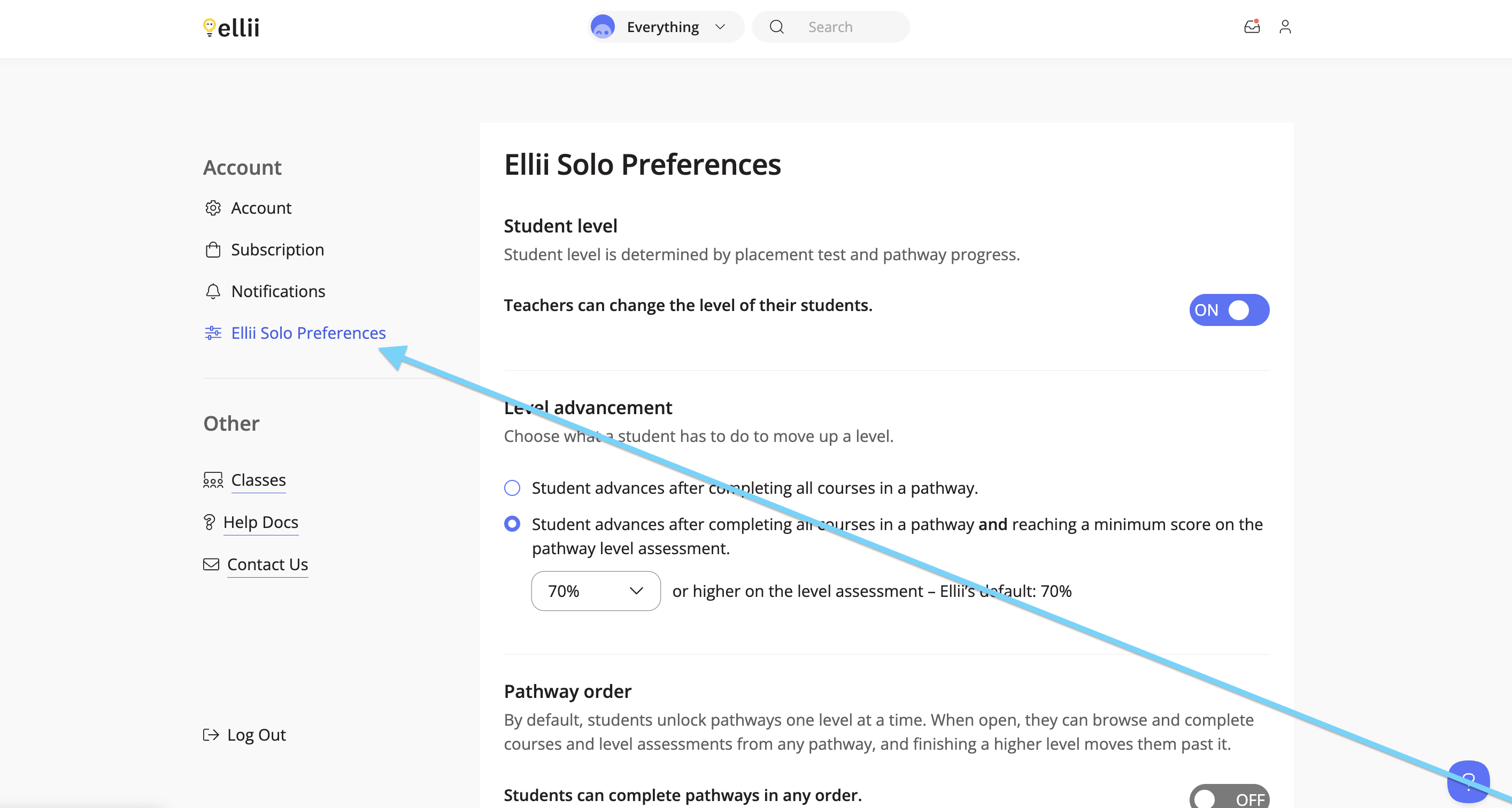
Click Ellii Solo Preferences on the left-hand side.
Step 3
First, administrators can choose if they would like the teachers to be able to change the students’ Ellii Solo levels. Click the toggle to make your choice.
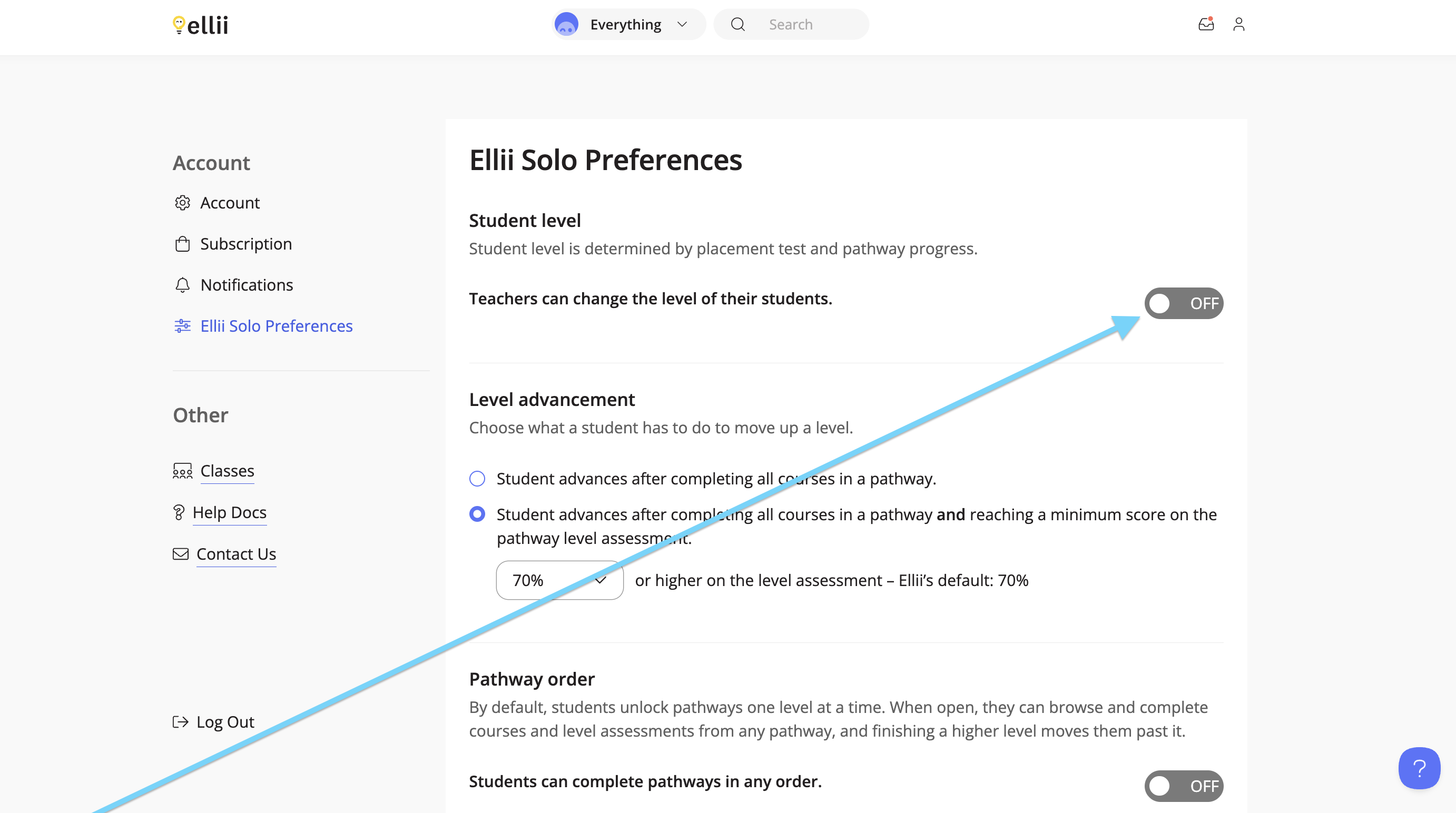
When this setting is off, teachers cannot change the level the students are assigned once they take their Placement Test.
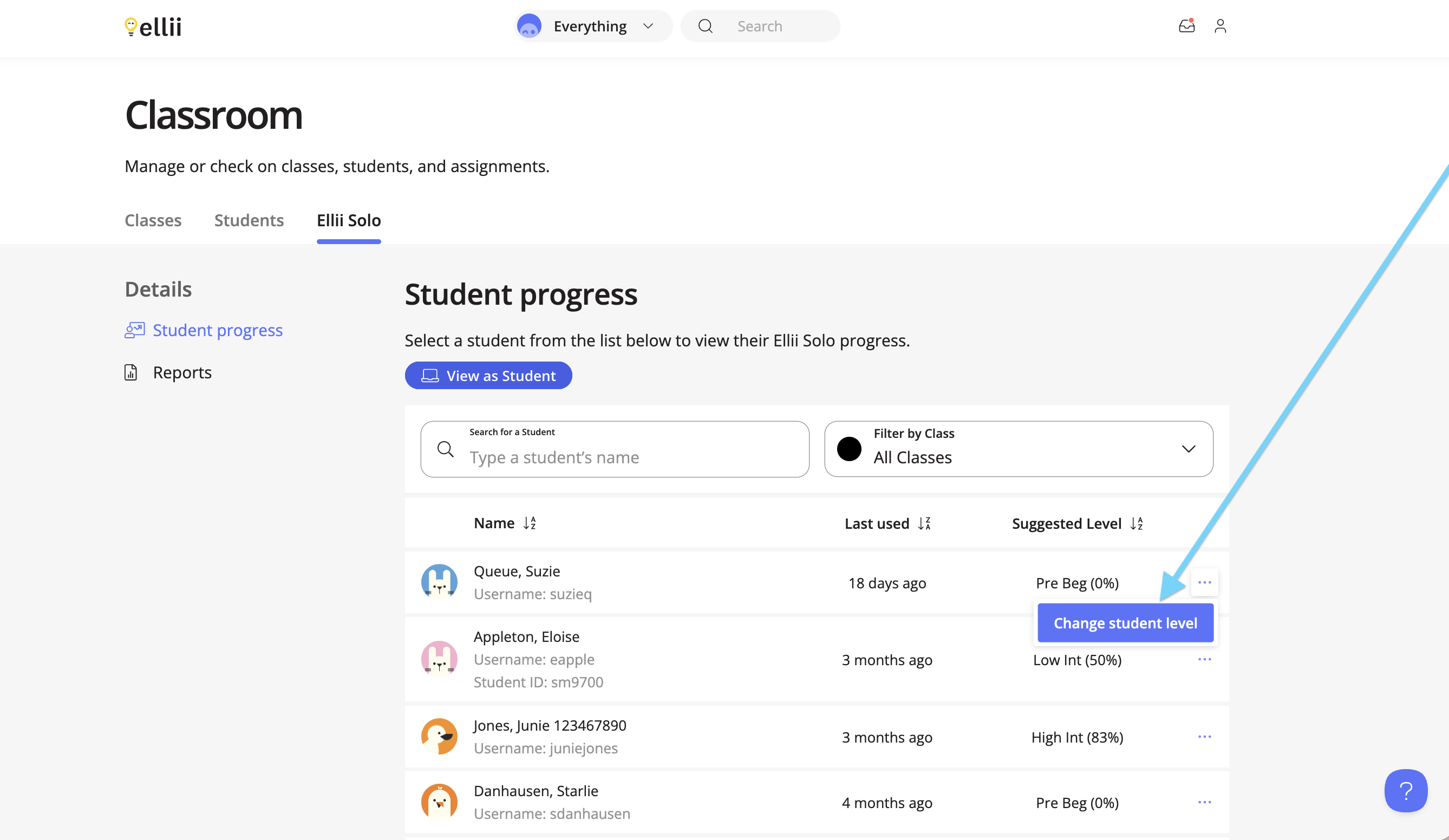
When this setting is on, teachers are able to change the level before and after the students have taken the placement test.
Step 4
Next, administrators can choose what is required for students to advance to the next level. The first option requires students to complete all of the courses in the learning pathway provided to them before moving on.
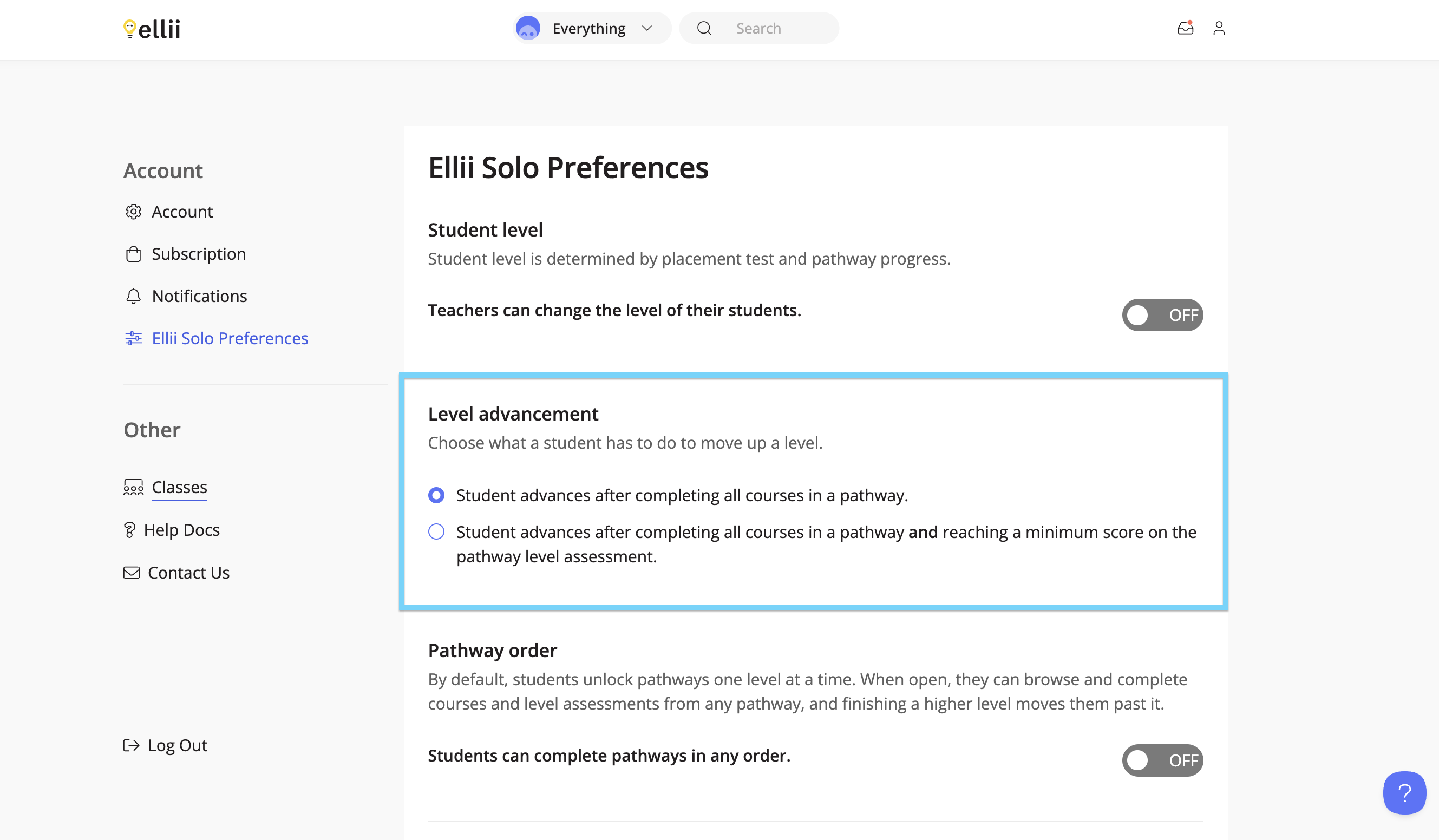
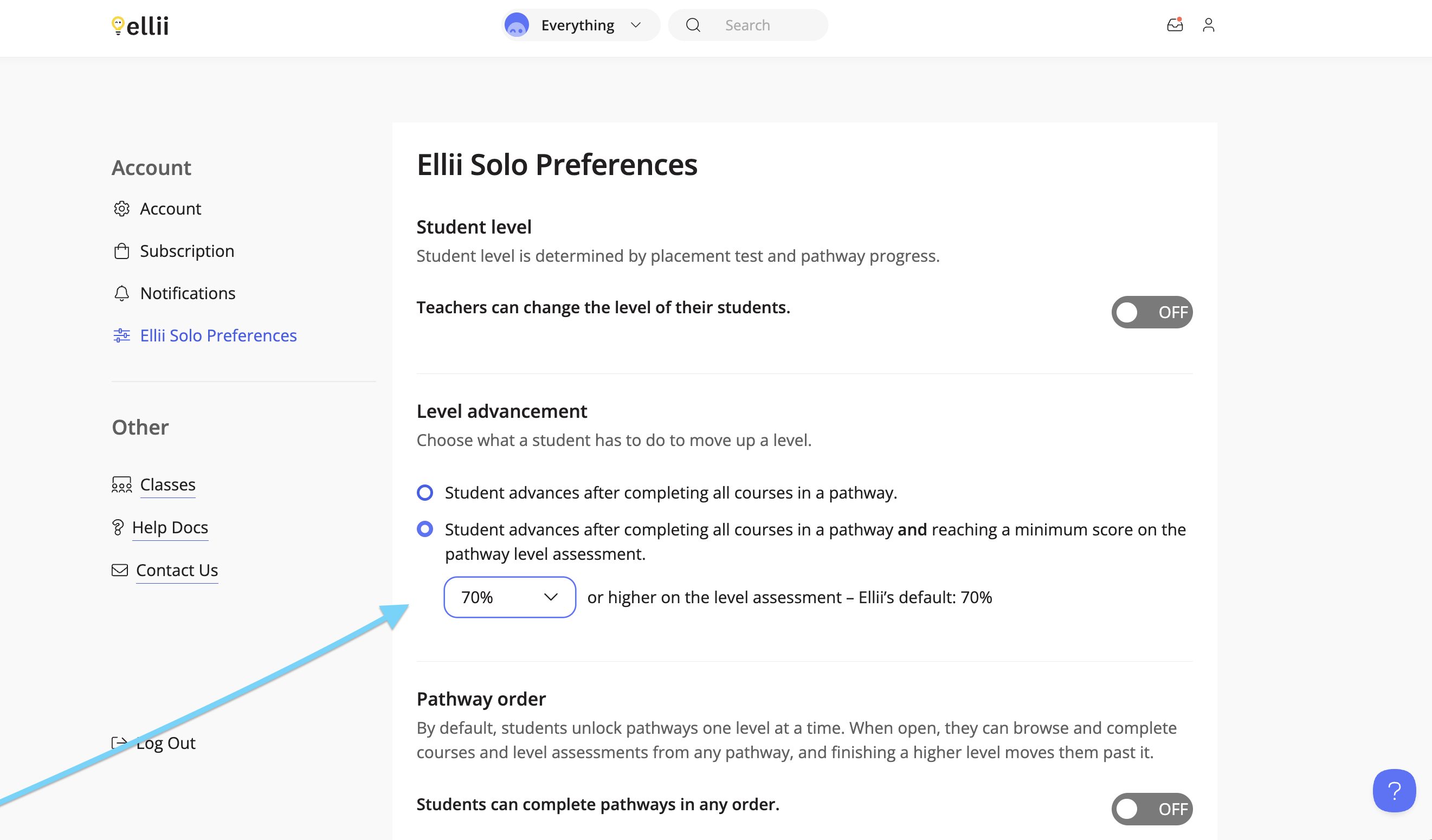
The second option requires students to complete all of the courses in the pathway as well as reach a minimum score on the assessment. Both requirements must be completed before the student can move on. Use the menu to change the score.
Step 5
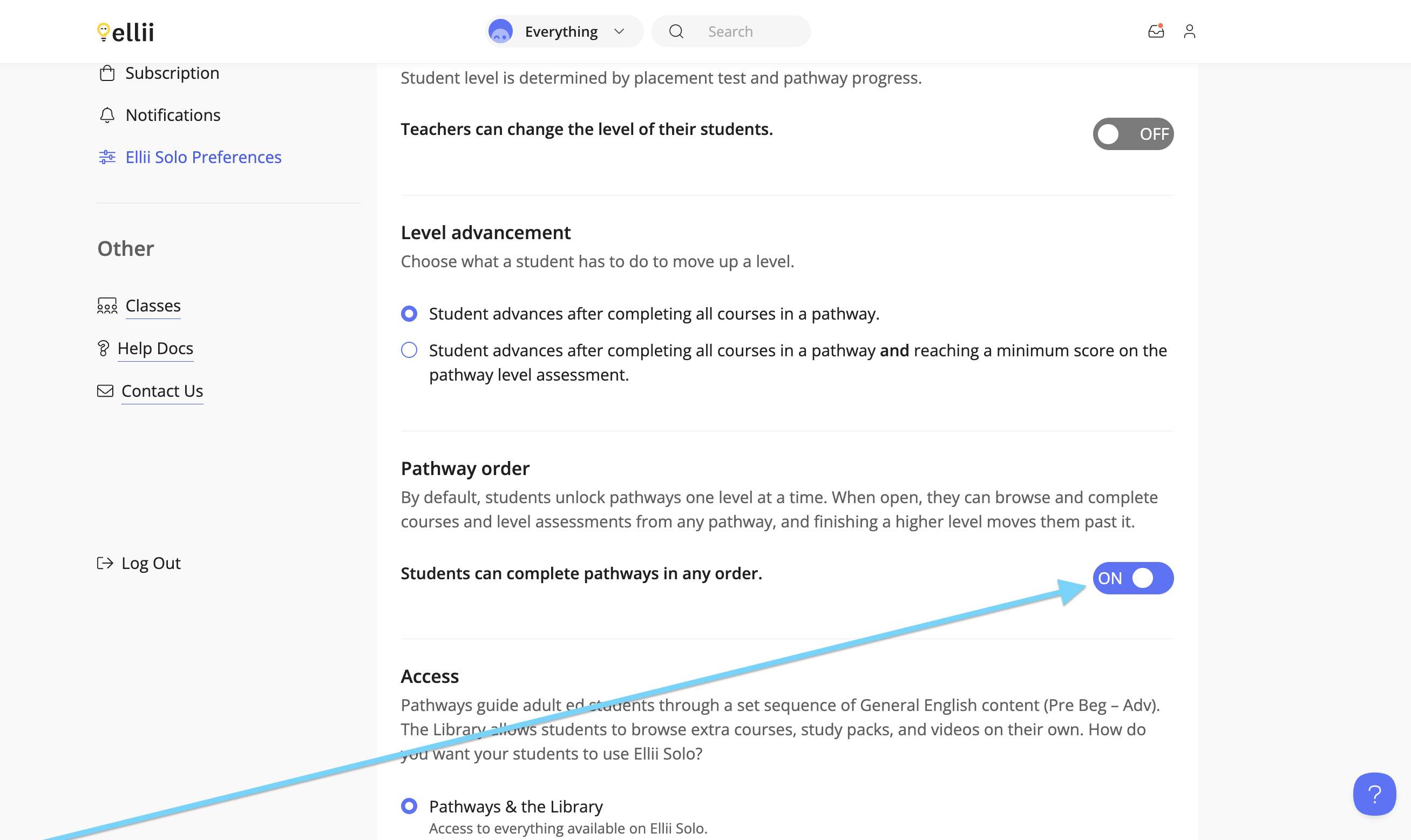
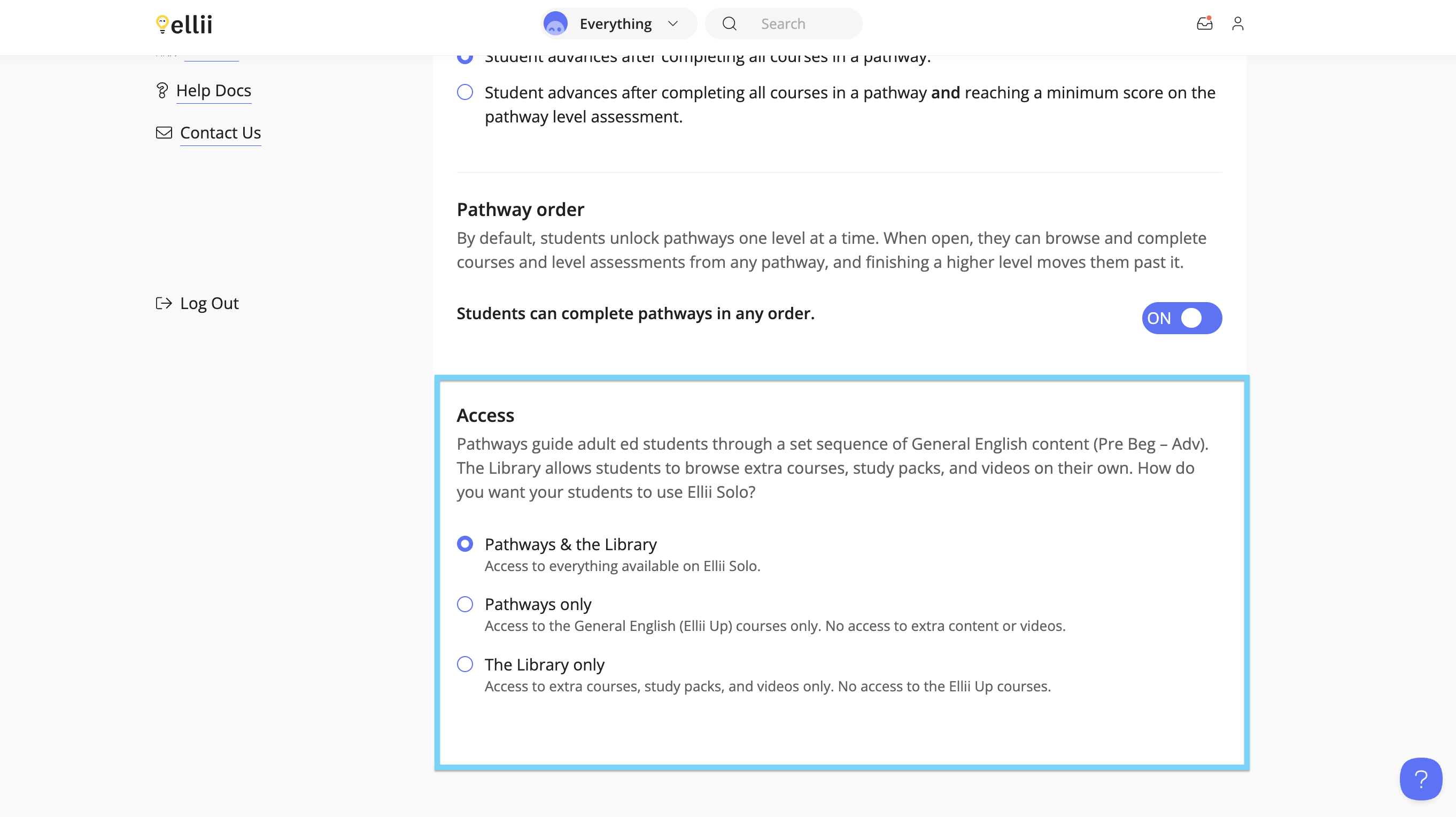
The next setting allows you to control whether students are required to work on one pathway at a time, or if they are able to complete the pathways in the order they prefer. This also includes any pathways that are a higher level than suggested to the student.
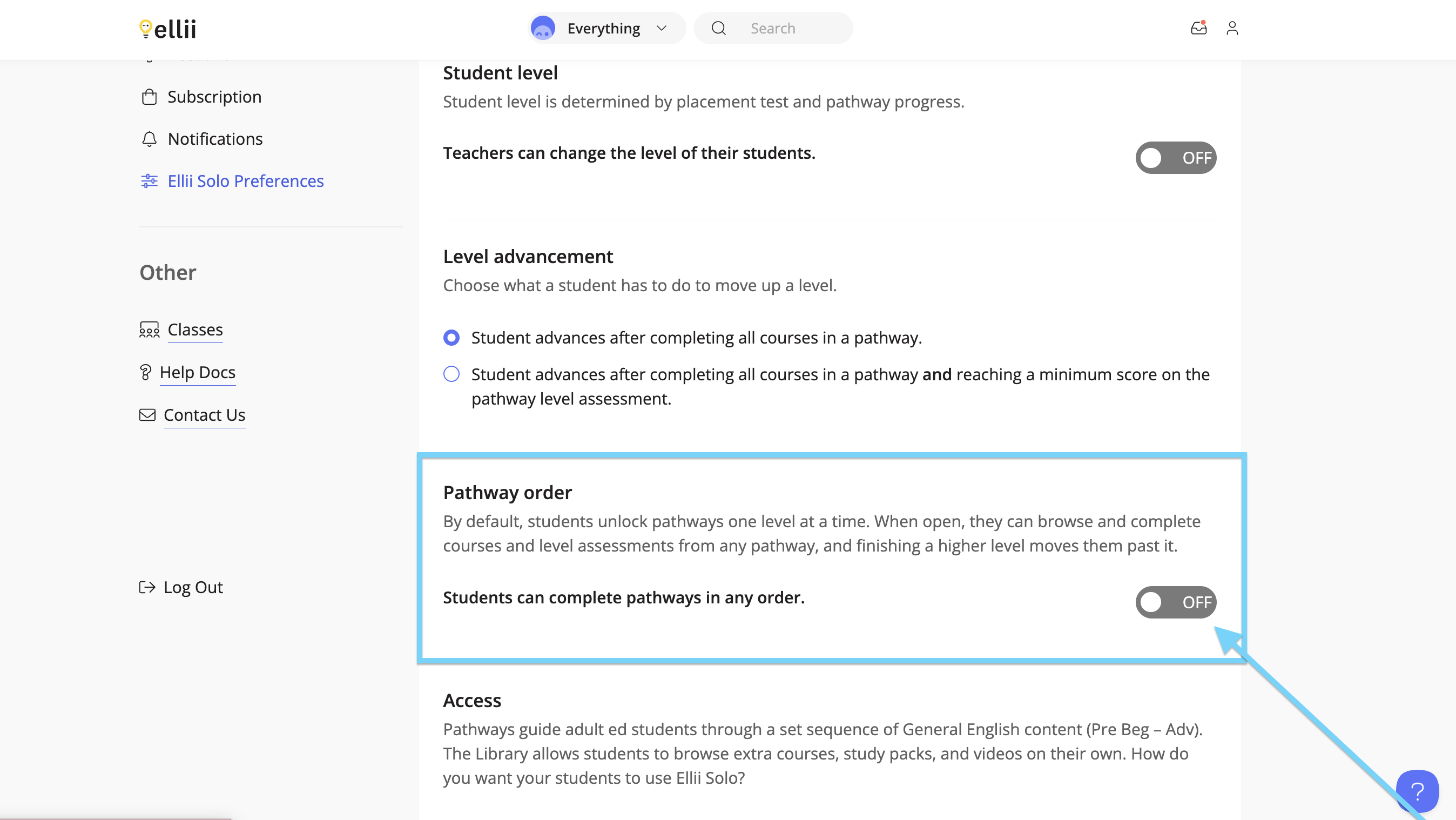
Turn this setting on to allow students to complete the pathways in any order.
Step 6
Lastly, administrators can control the students’ access to the content on Ellii Solo. Choose whether the students can have access to everything on Ellii Solo ( pathways, other courses, videos), access to only the suggested pathways, or access to the library only.
If you have any questions, please let us know!