
How to Use Time Reports
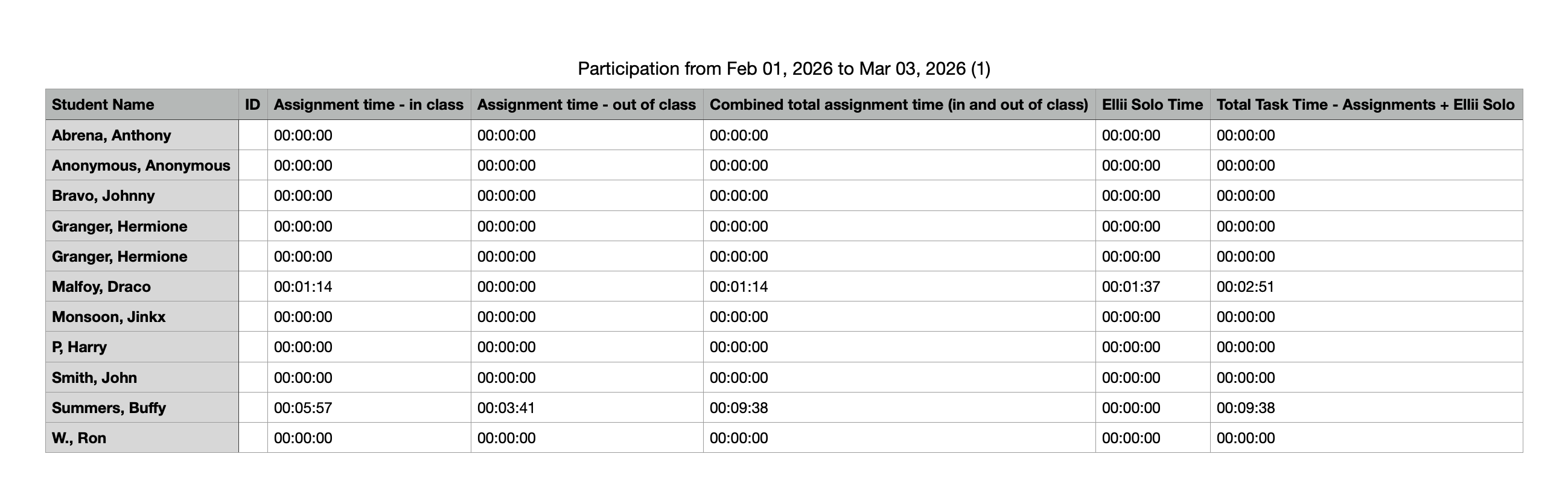
The Time Reports feature shows teachers the total time students have spent on tasks in a specific class, as well as the total time all students have spent on tasks universally across Ellii and/or Ellii Solo*. *Organization accounts only
Step-by-Step Instructions
Log in to your account here:
Step 1
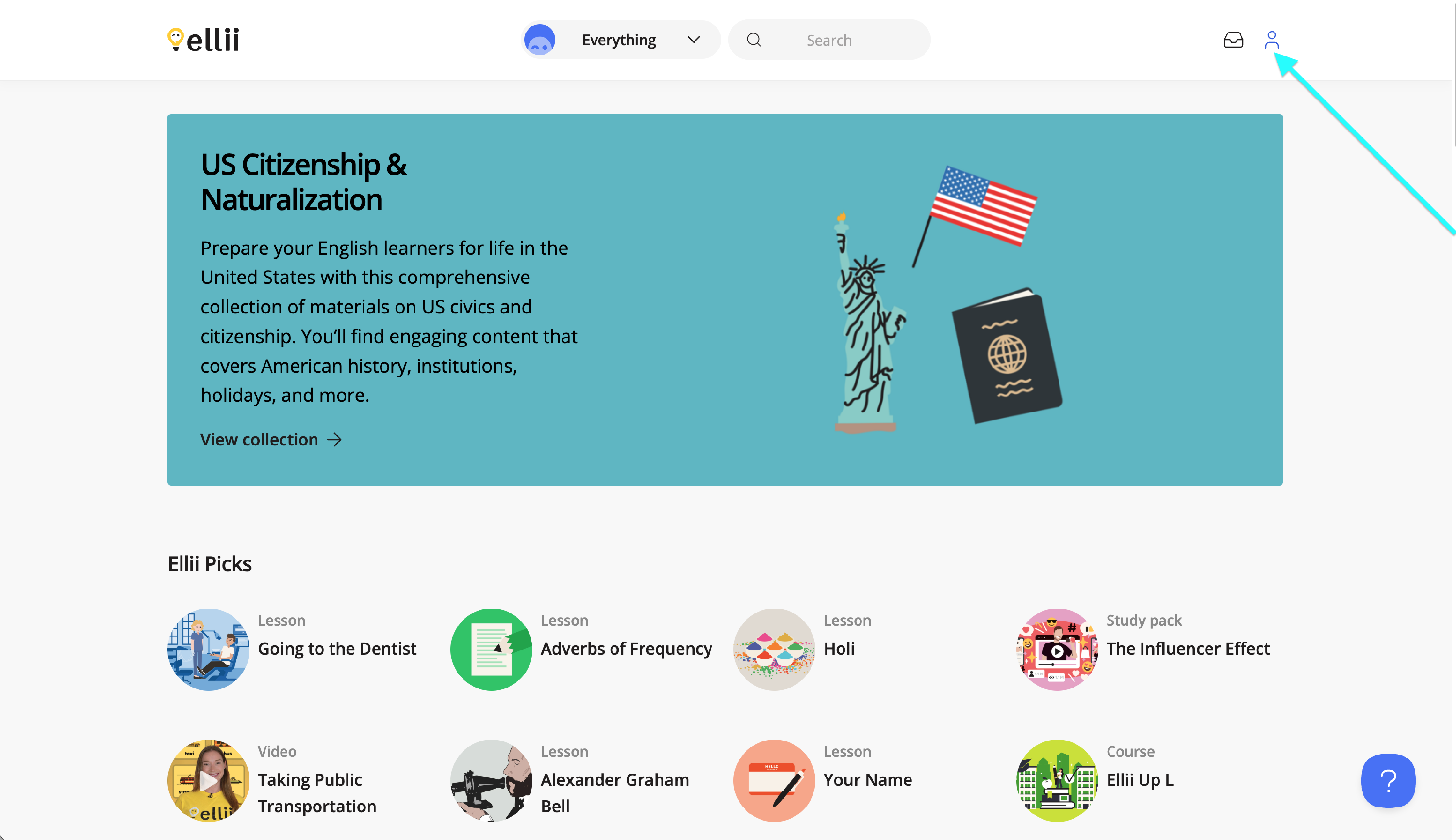
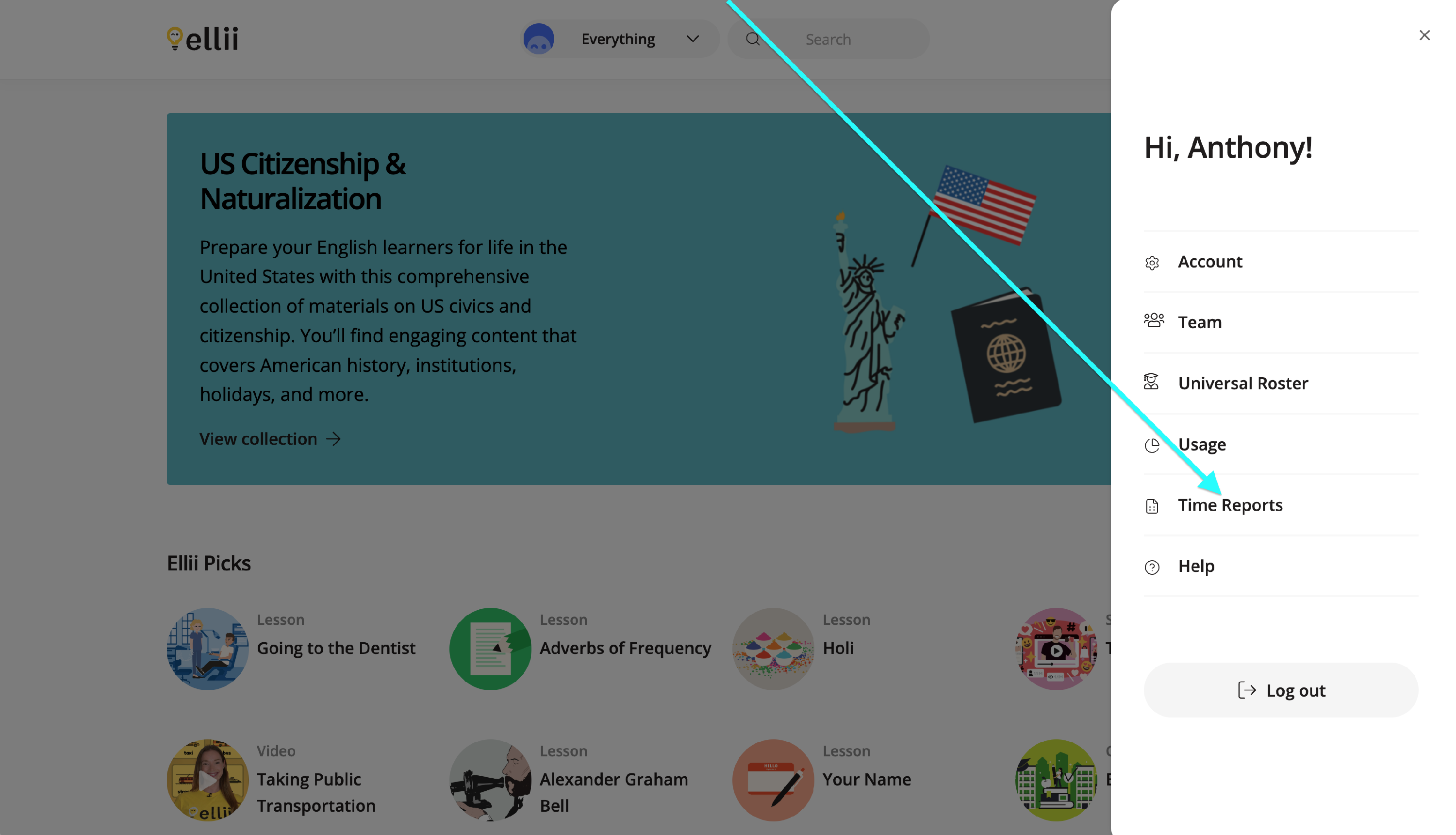
Once logged in to your account, click on the profile icon and select Time Reports.
Step 2
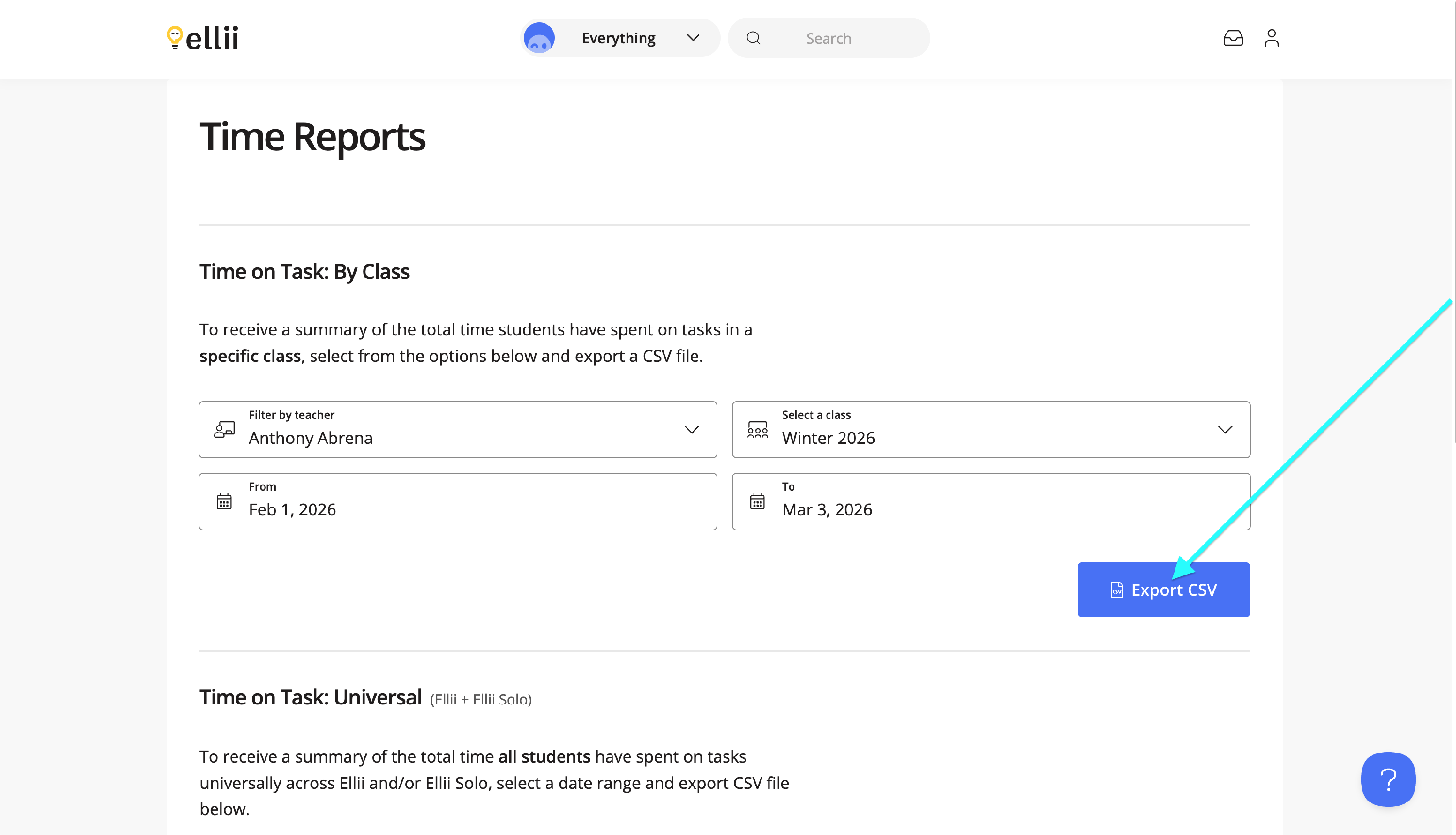
The Time on Task: By Class report allows you to export the time spent on tasks for a class. Select the teacher, class and choose a date range then click Export CSV.
Please note that if a teacher has enabled Proxy Hours tracking, it will affect how the report is generated.

Step 3
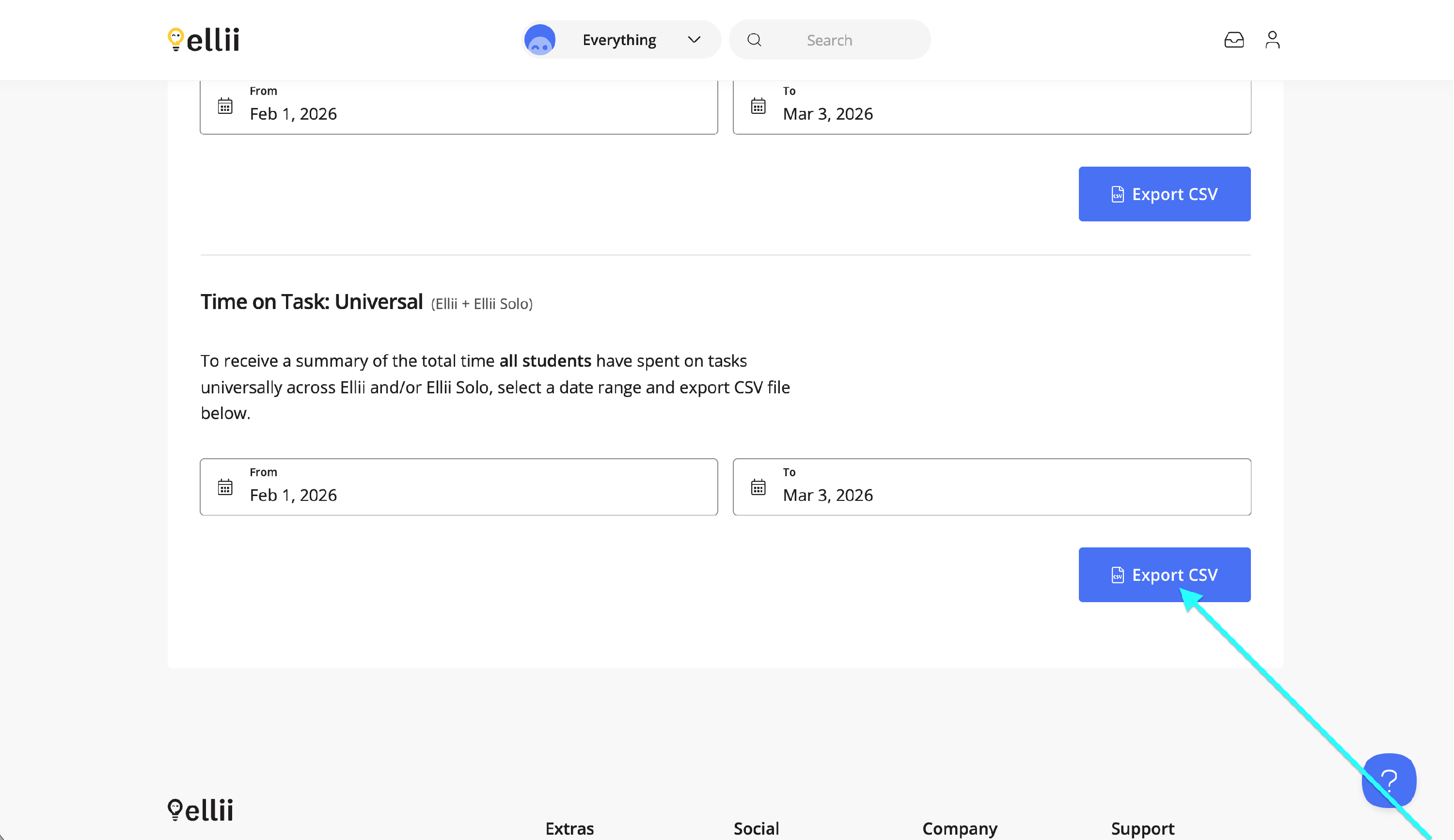
The Time on Task: Universal report allows you to export the total time spent by students across all classes, as well as all time spent on Ellii Solo. Choose a date range then click Export CSV.
Please note: This feature will only appear for administrator accounts.
If you have any difficulties generating time reports, please contact us and we will be happy to assist you!